Paul Roebuck.co.uk

AI

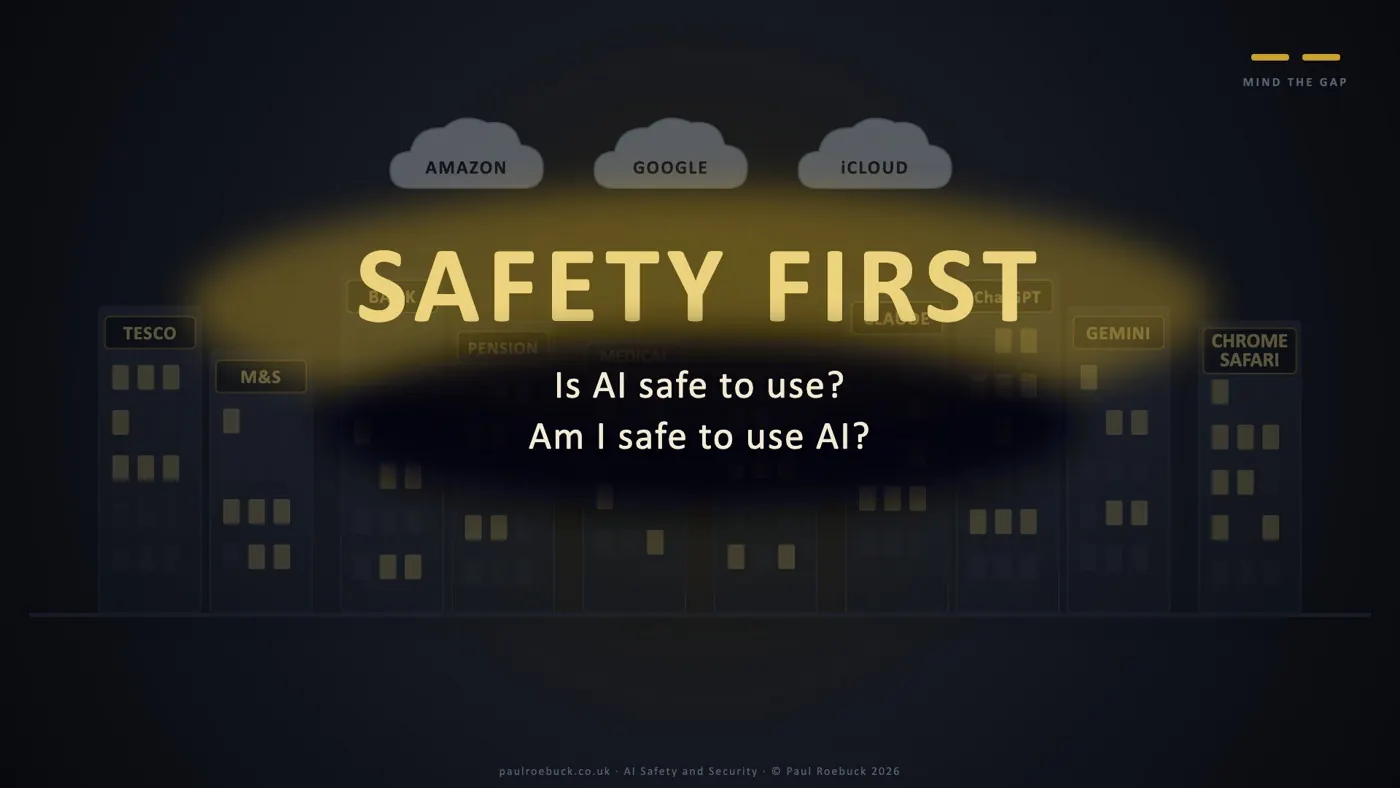
Is AI safe to use? Am I safe to use AI?

2026 · 6 min read

From the AI talk at Oxhill village hall, 13 October 2026.

Fear is the master emotion. I’ve met it in the therapy room, in business, and in my own life. So I shouldn’t have been surprised to find it in Oxhill village hall, sitting right alongside the interest.

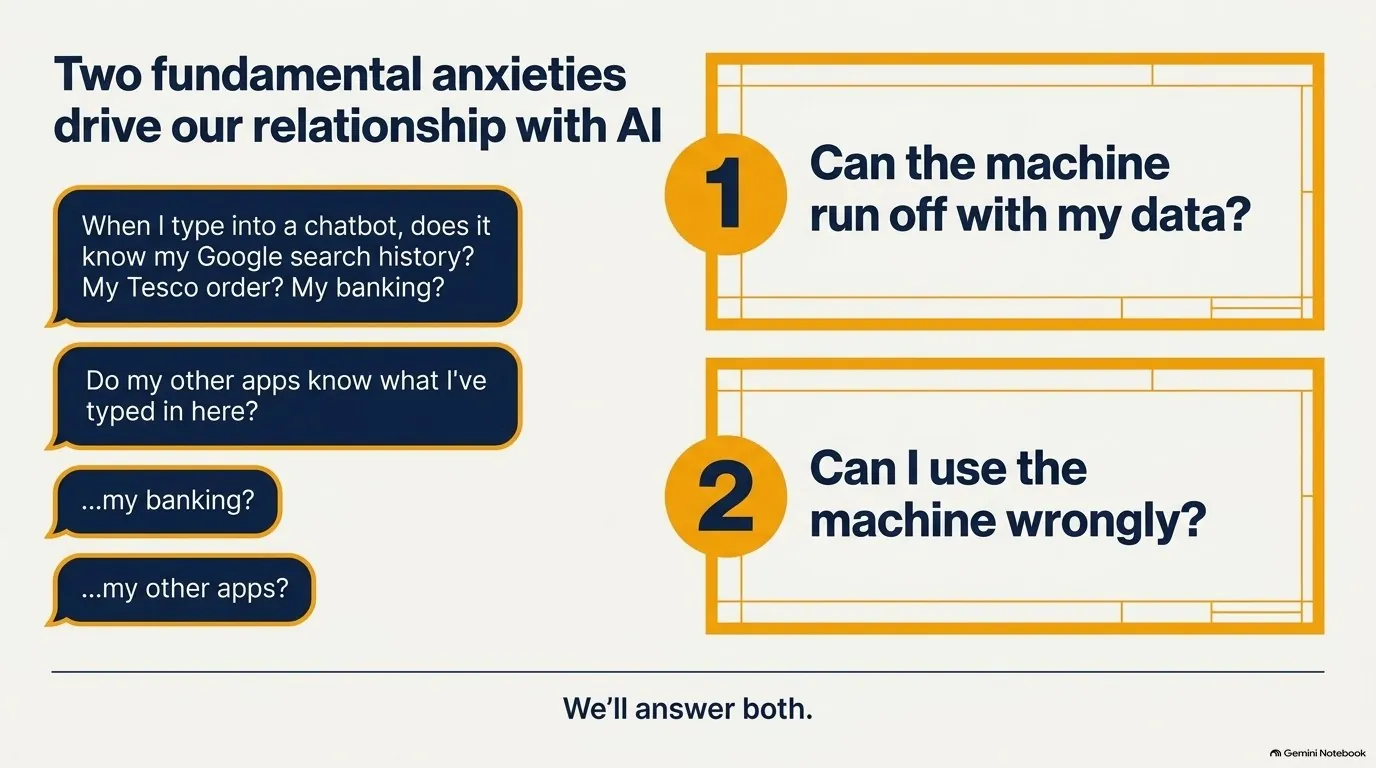
The room was full and curious. People leaned in when AI was put up on the screen. But as the evening went on, the questions that came back weren’t about what AI can do. They were about whether it was safe to let it near their lives. The fear came out as two questions:

Is AI safe to use?
Am I safe to use AI?

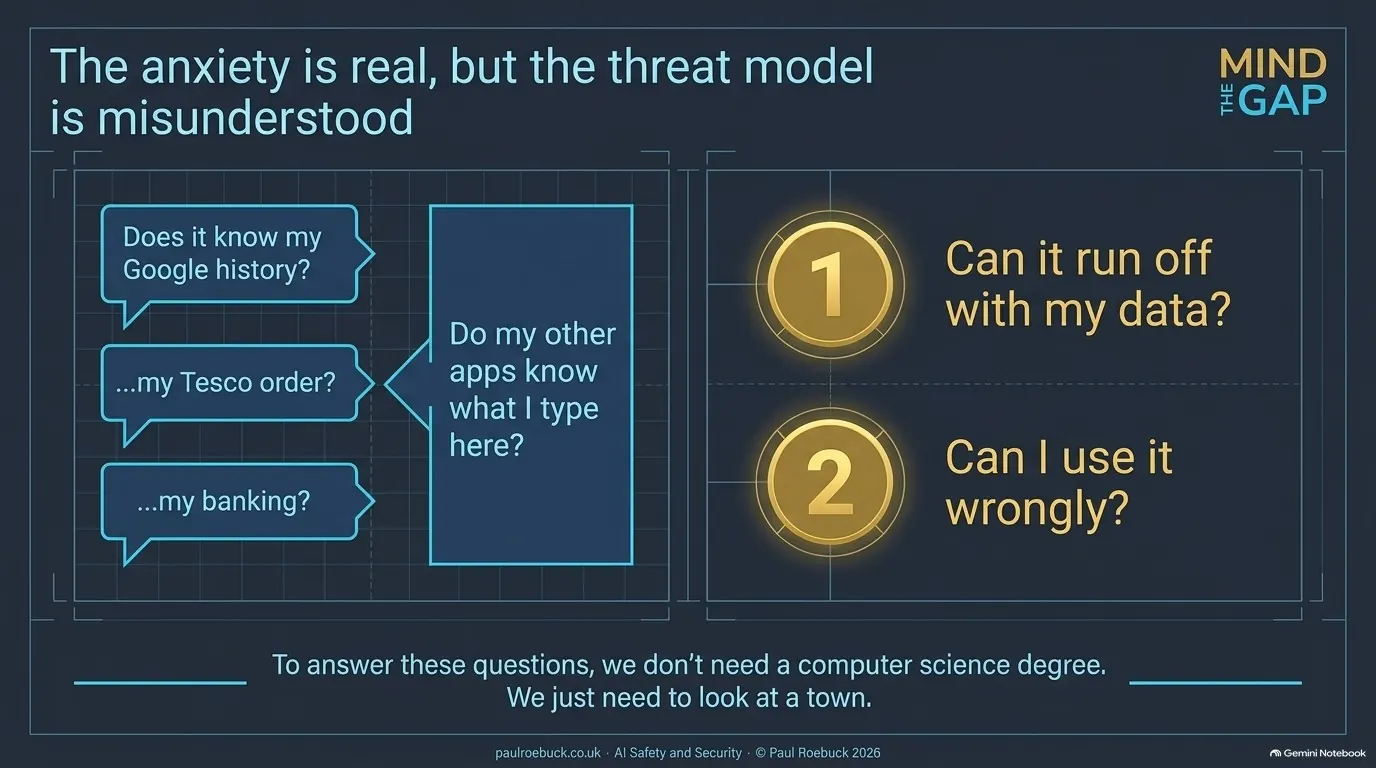
It wasn’t fear of robots taking over the world. It was quieter, and more sensible, than that. “When I type into a chatbot, does it know my Google search history? My Tesco order? My banking? My other apps?” And the other way round: “Do my other apps know what I’ve typed into my AI?”

I’d pitched the evening too high. I was explaining the upper floors while the room was still asking whether the building was safe to walk into. That’s not a failure of interest. It’s the right question, asked first.

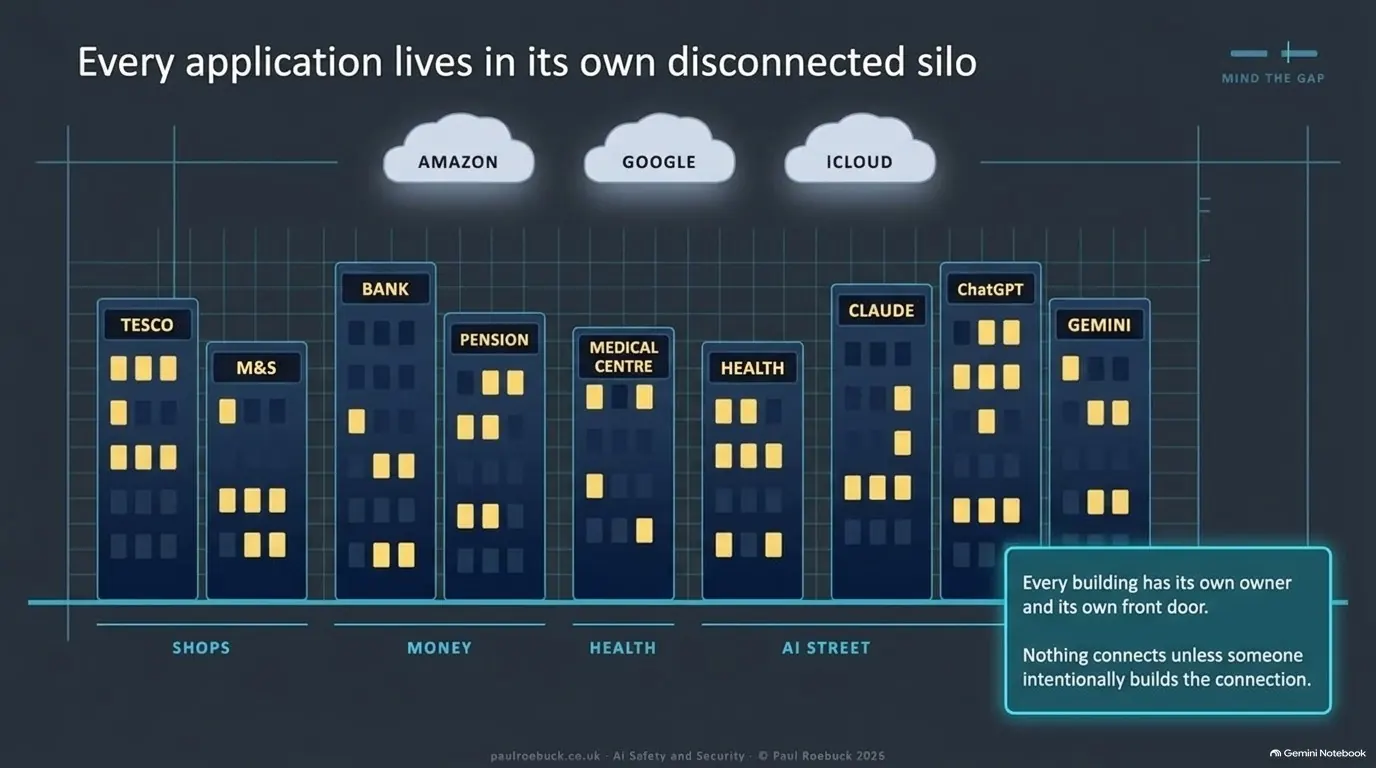
So I’ve drawn the answer, as a town.

The answer, in five stops

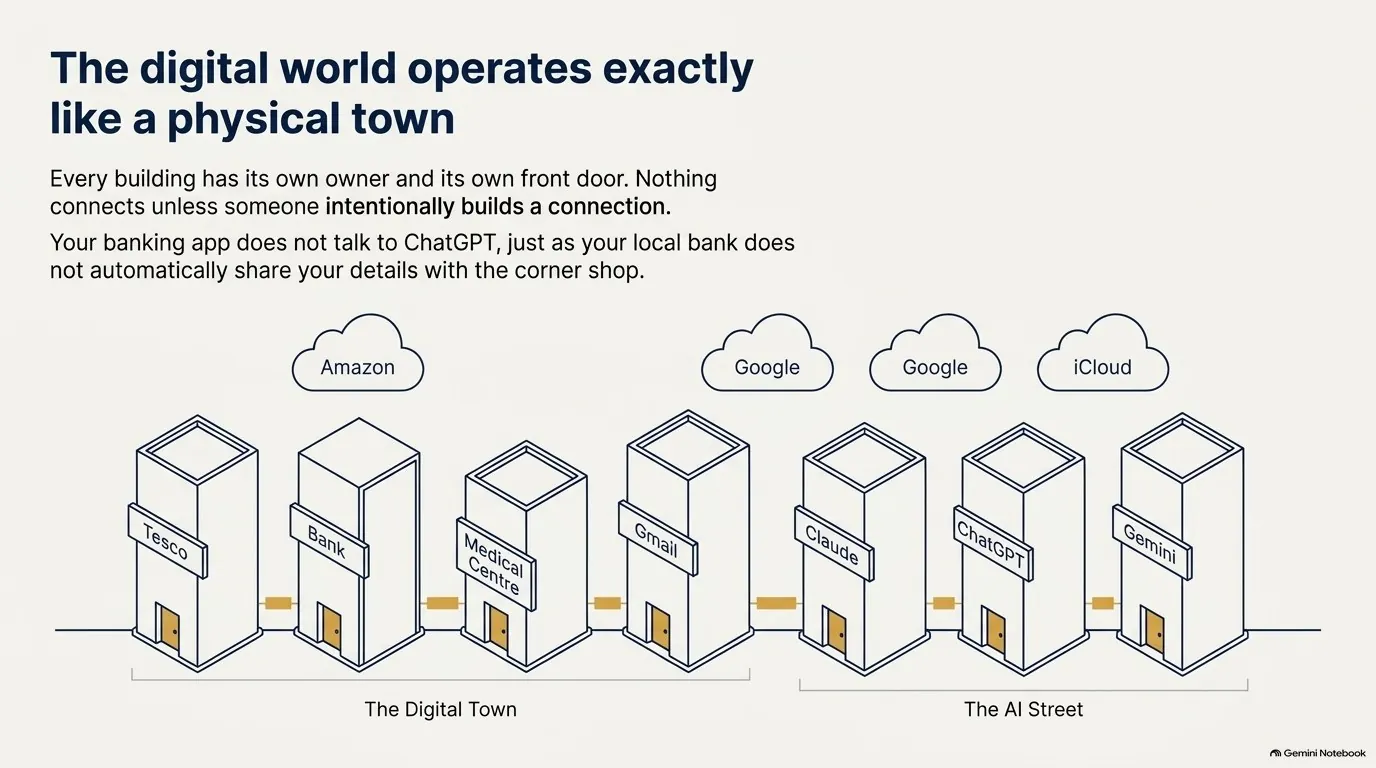
  1. The town. Every building has its own owner and its own front door. Nothing connects unless someone builds the connection.
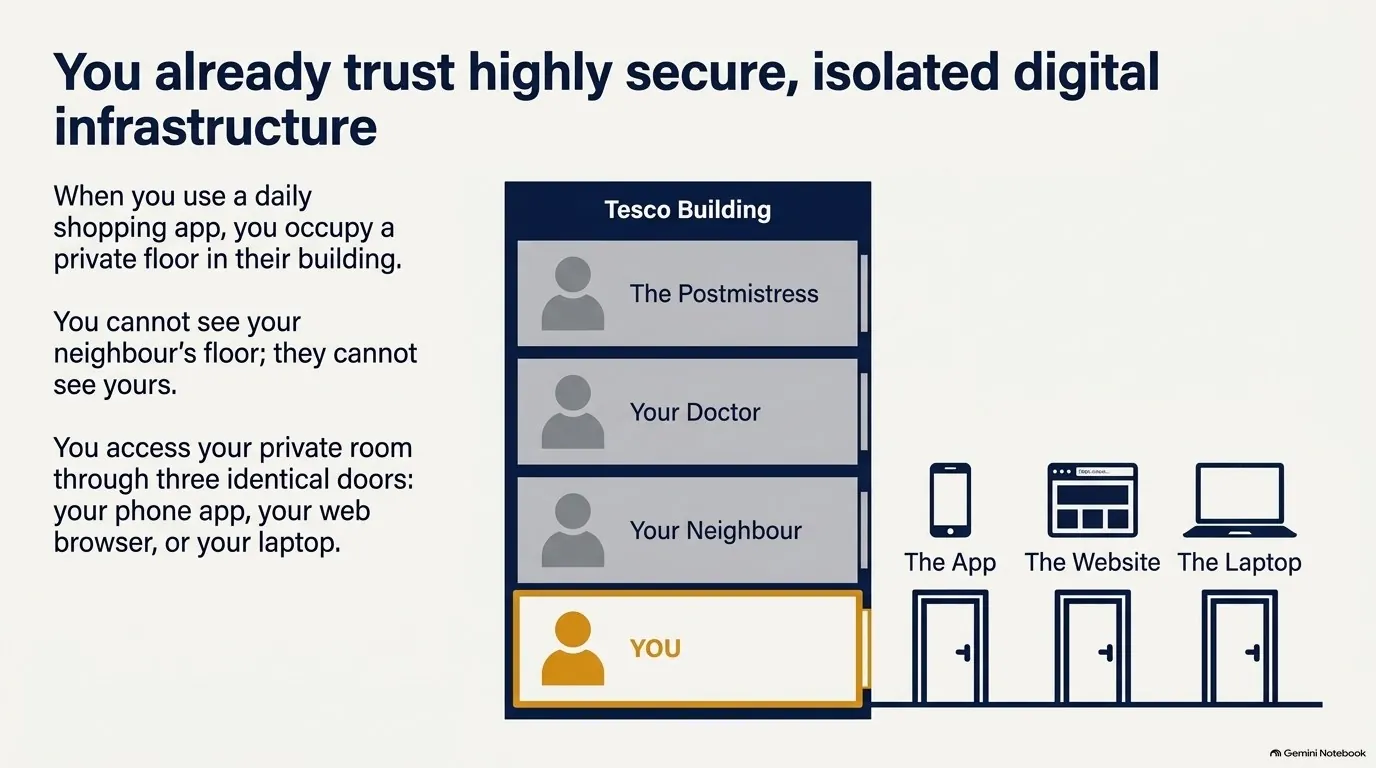
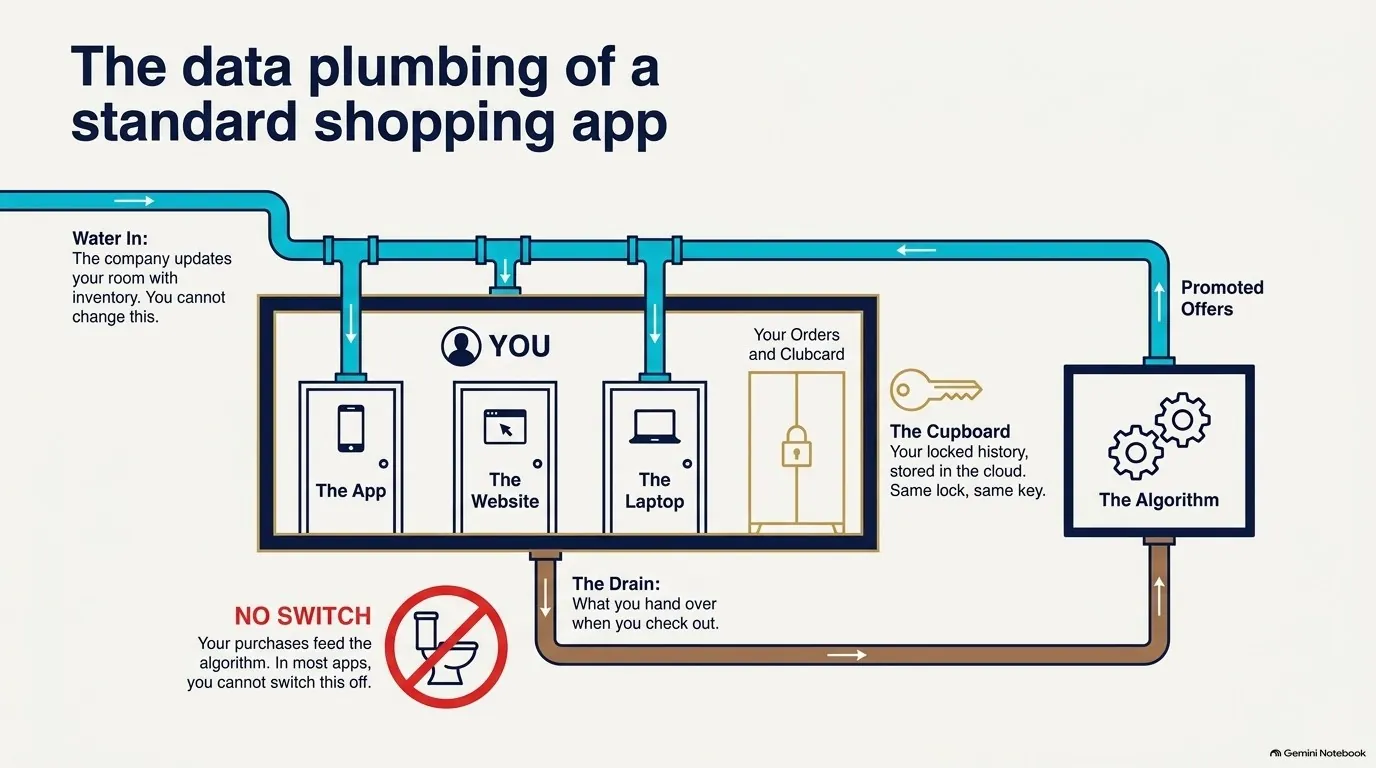
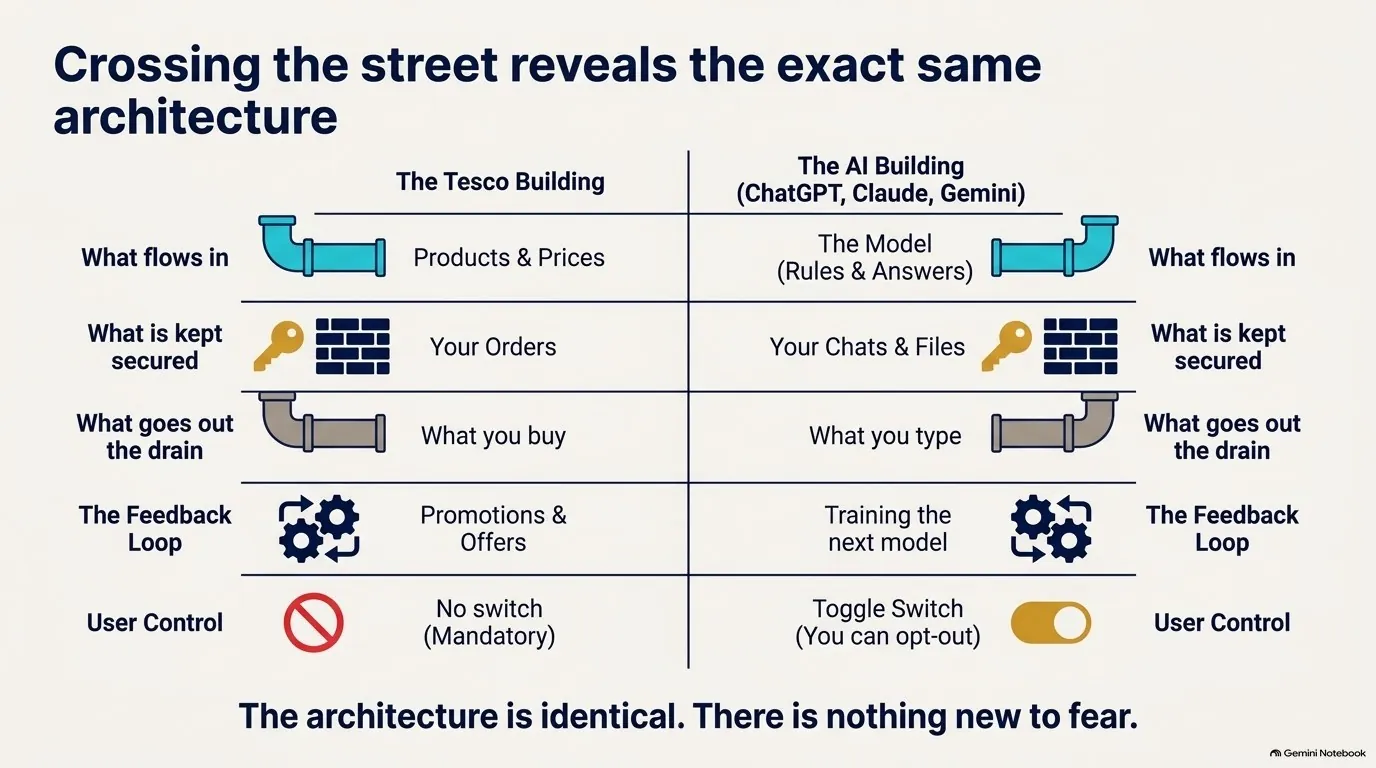
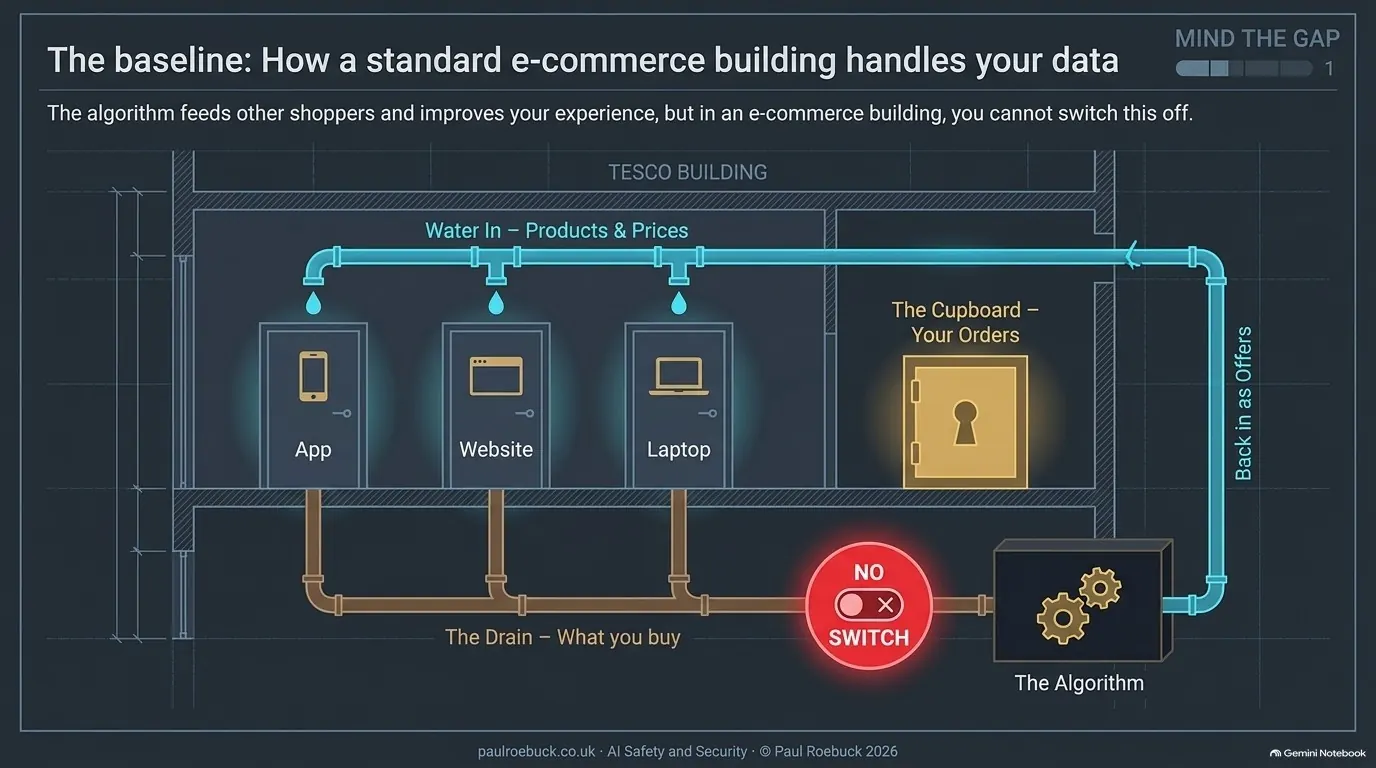
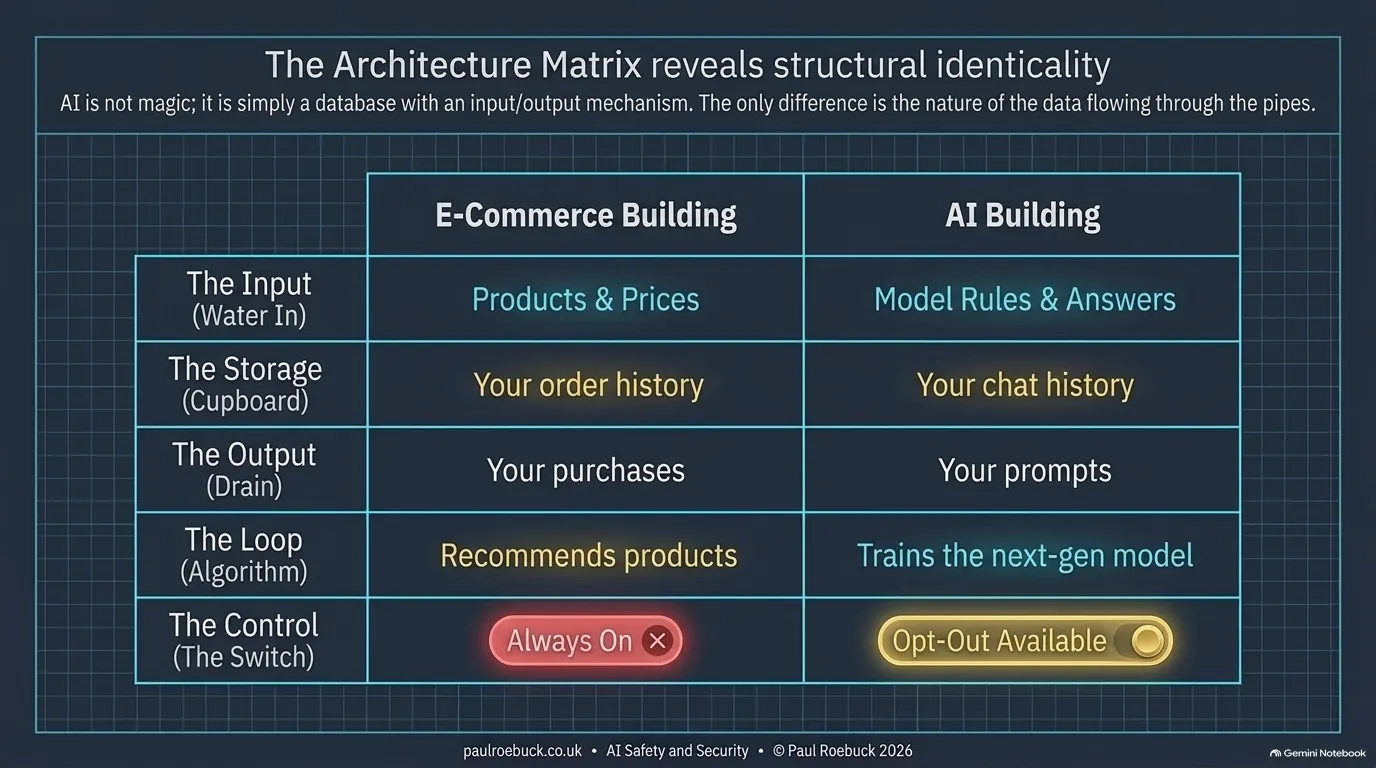
  2. Tesco. One building, private floors. Tesco sends products and prices into your room; what you buy goes down the drain into its algorithm, which feeds other shoppers and shapes your next shop. In Tesco, you can’t switch that off.
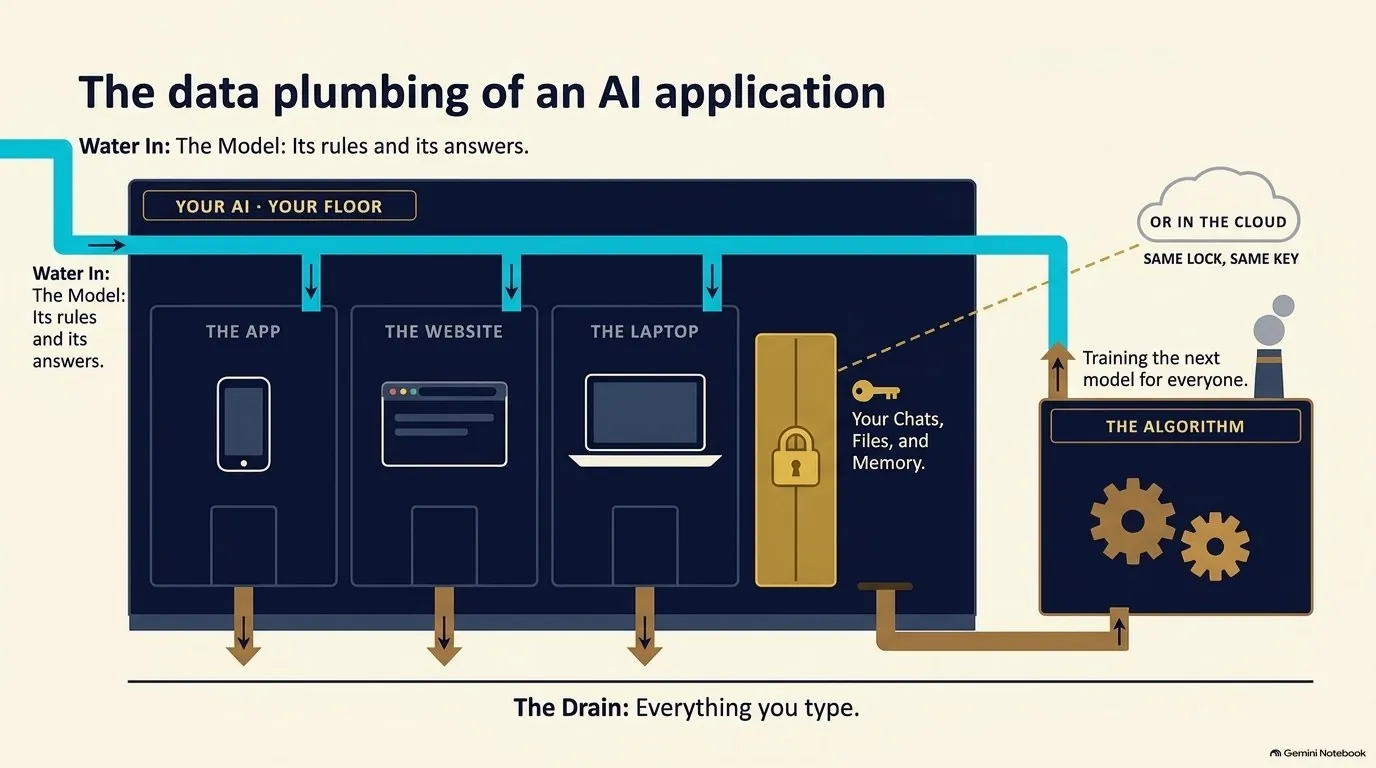
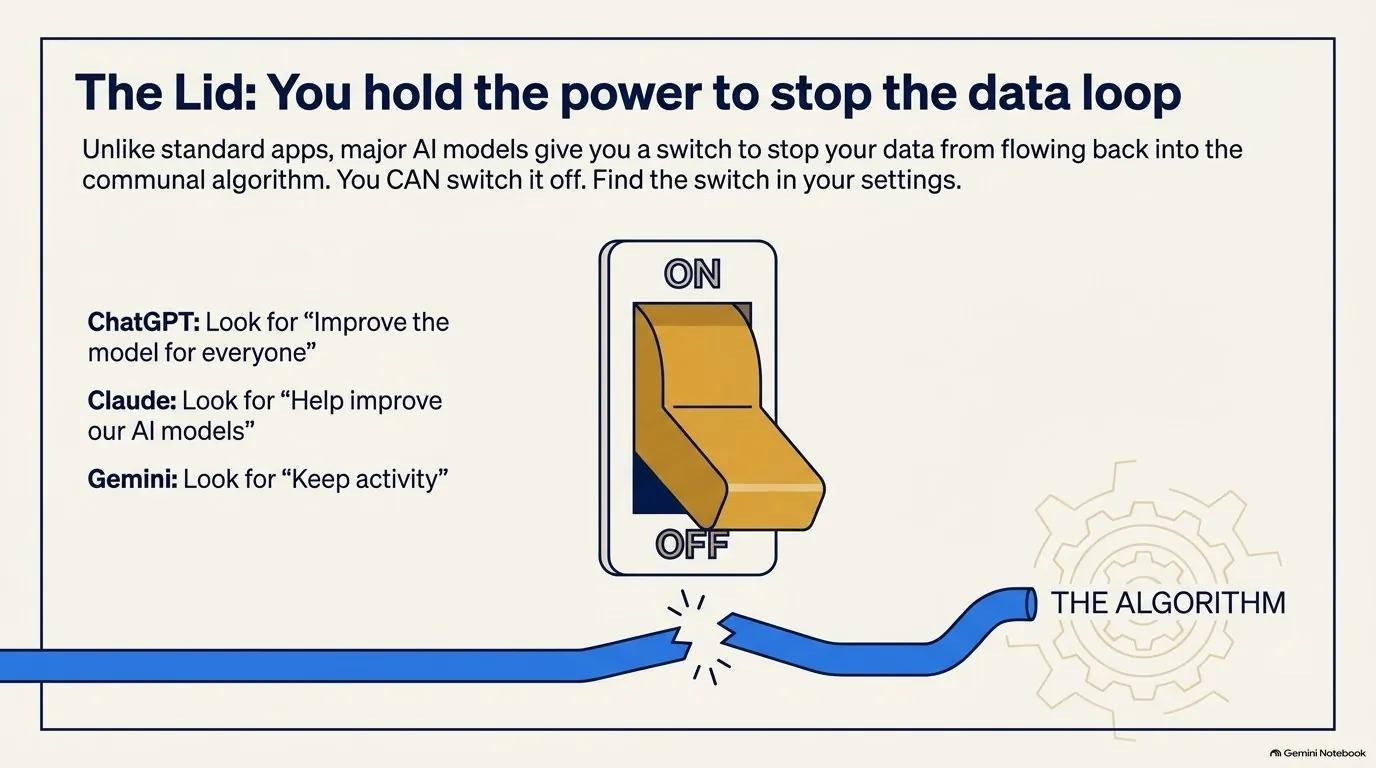
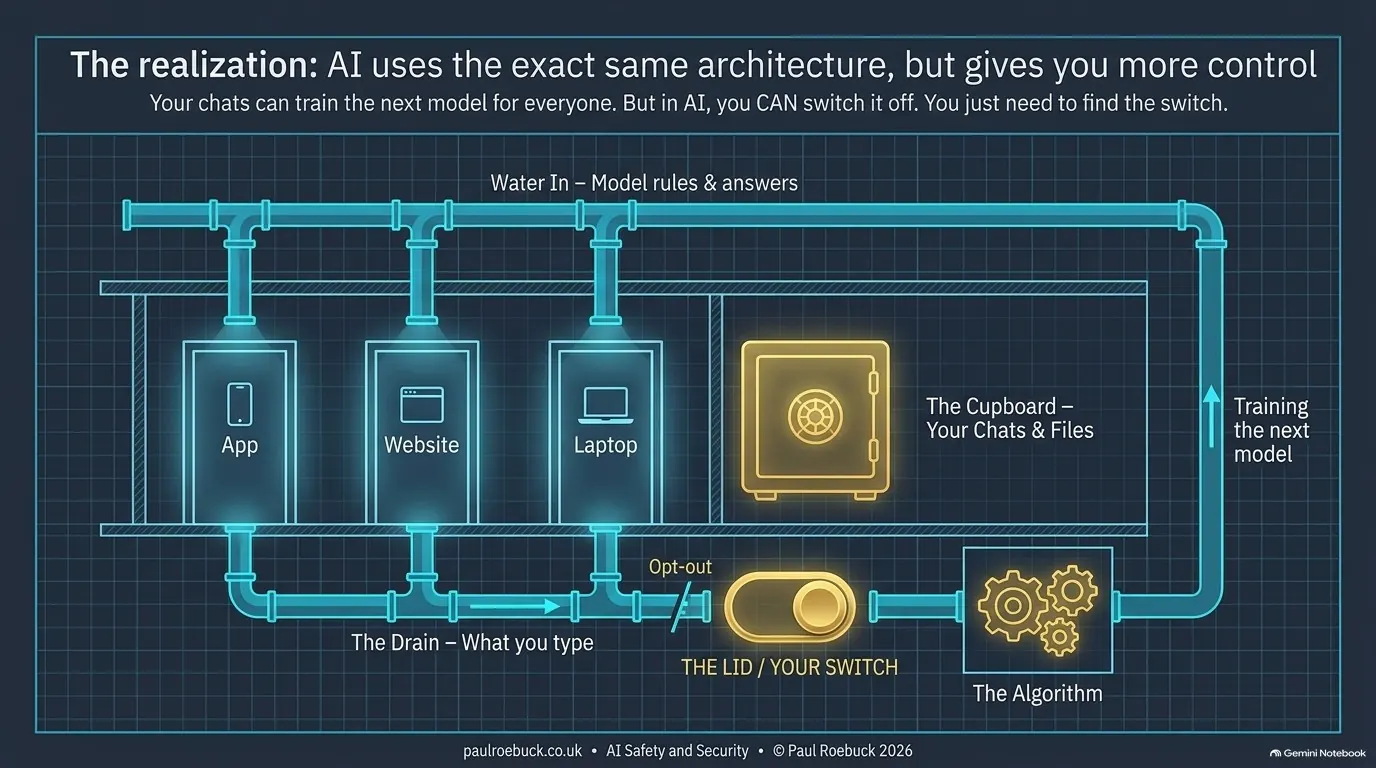
  3. The AI building. The same shape. The maker sends in its model; what you type can go down the drain and help train the next one. Here you can switch it off — and the slide names the switch in ChatGPT, Claude and Gemini.
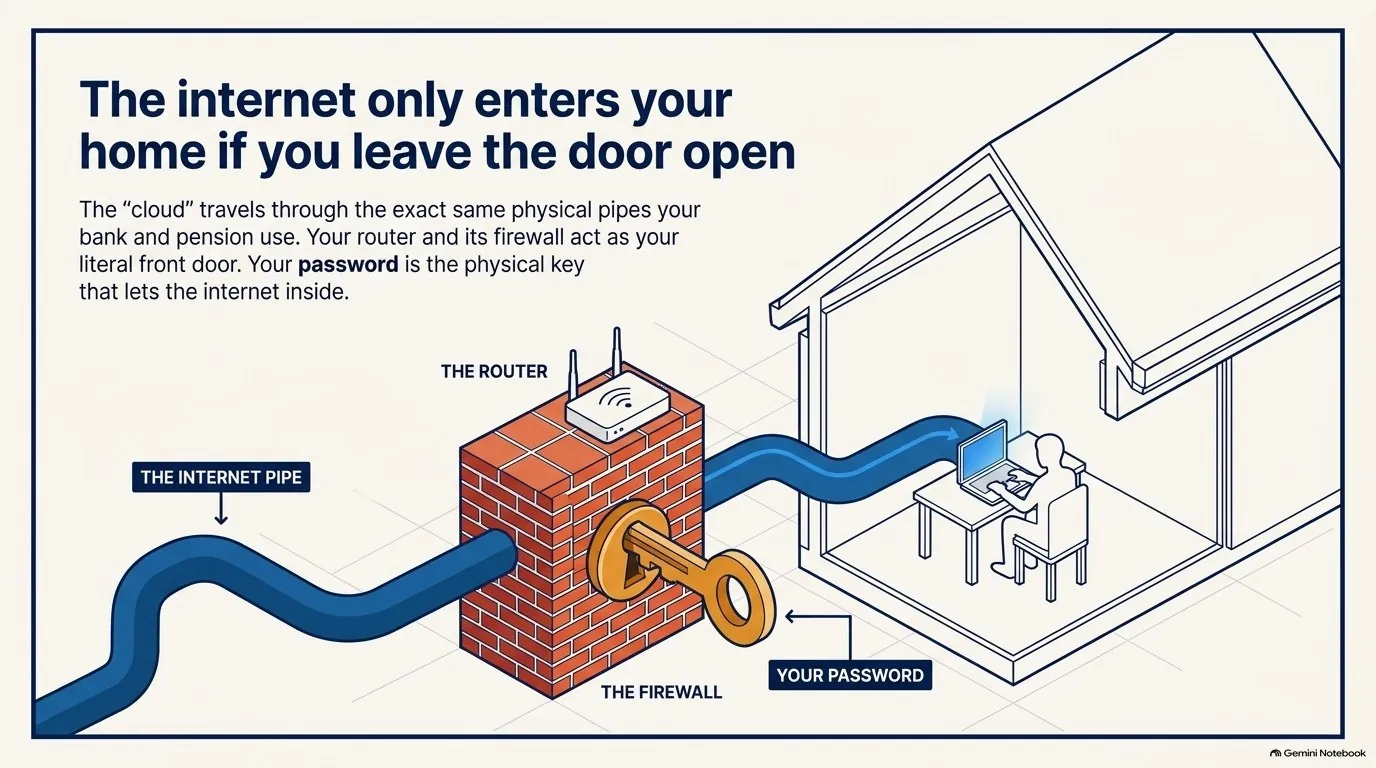
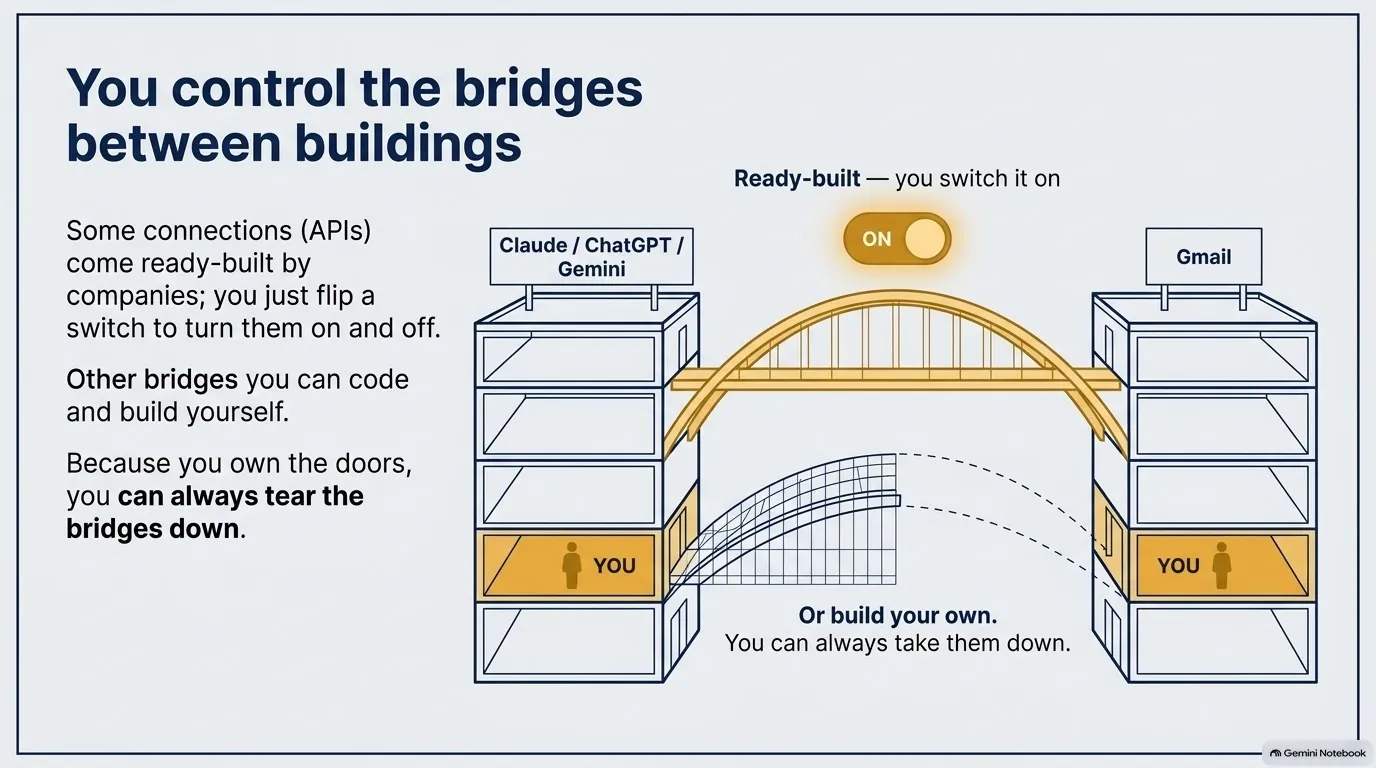
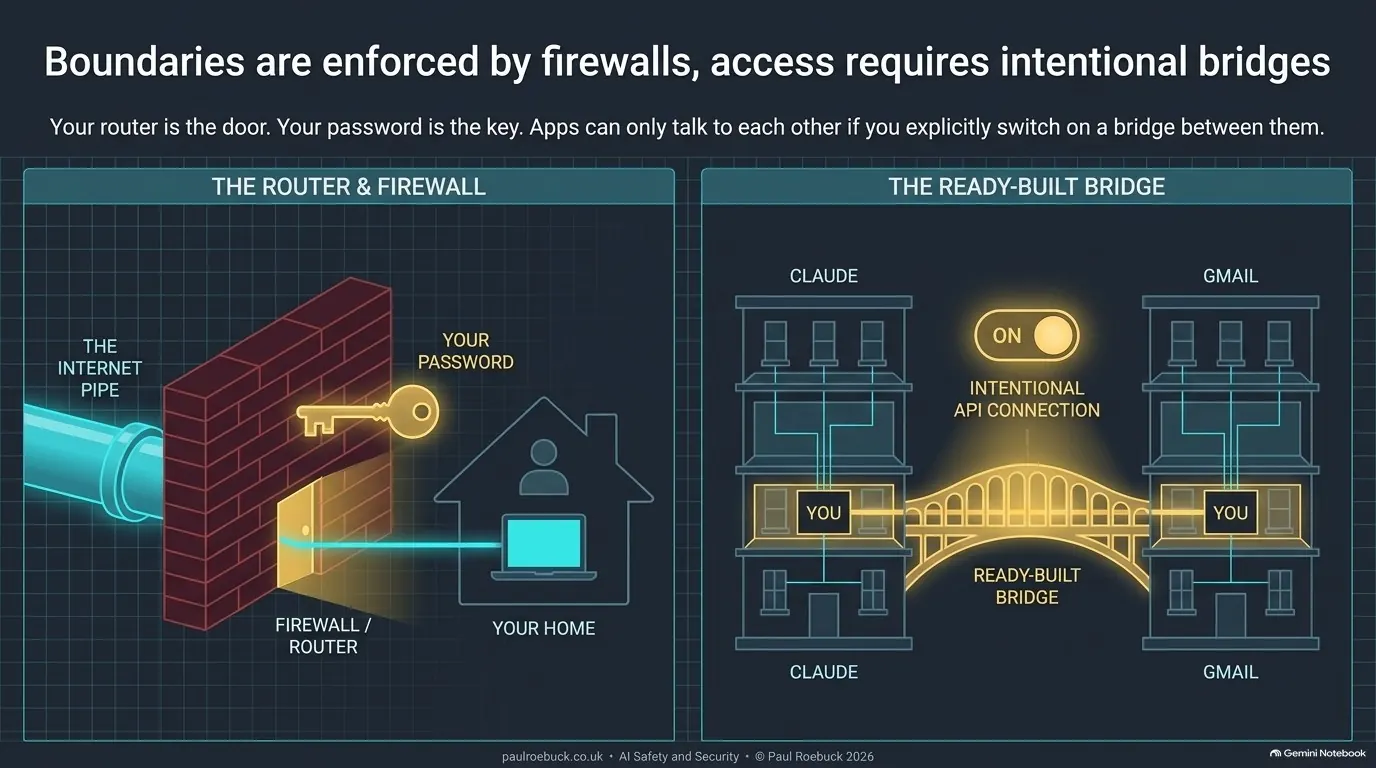
  4. Pipes, doors and bridges. The internet pipe runs under every street — the same one your bank uses. Your router and firewall are your door; your password is the key. Bridges between apps exist only if someone builds them.
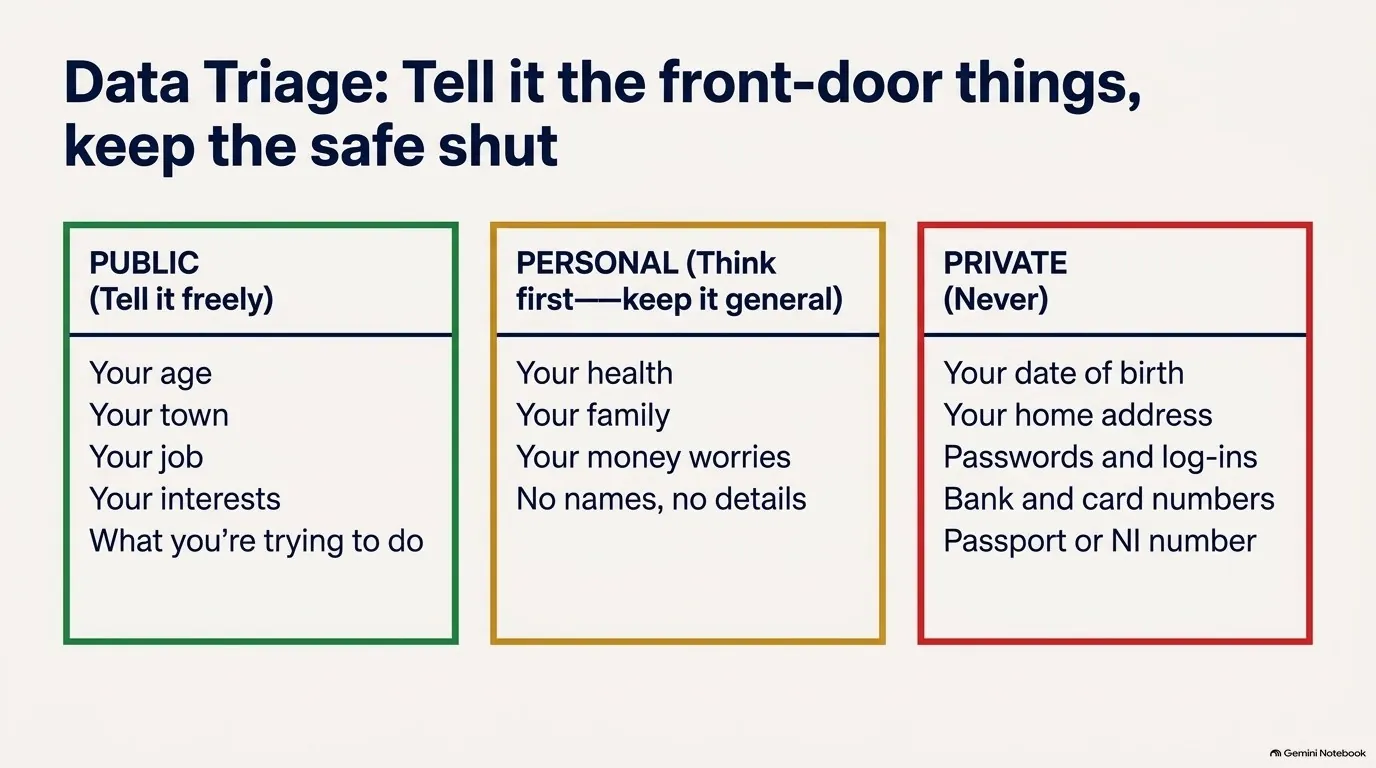
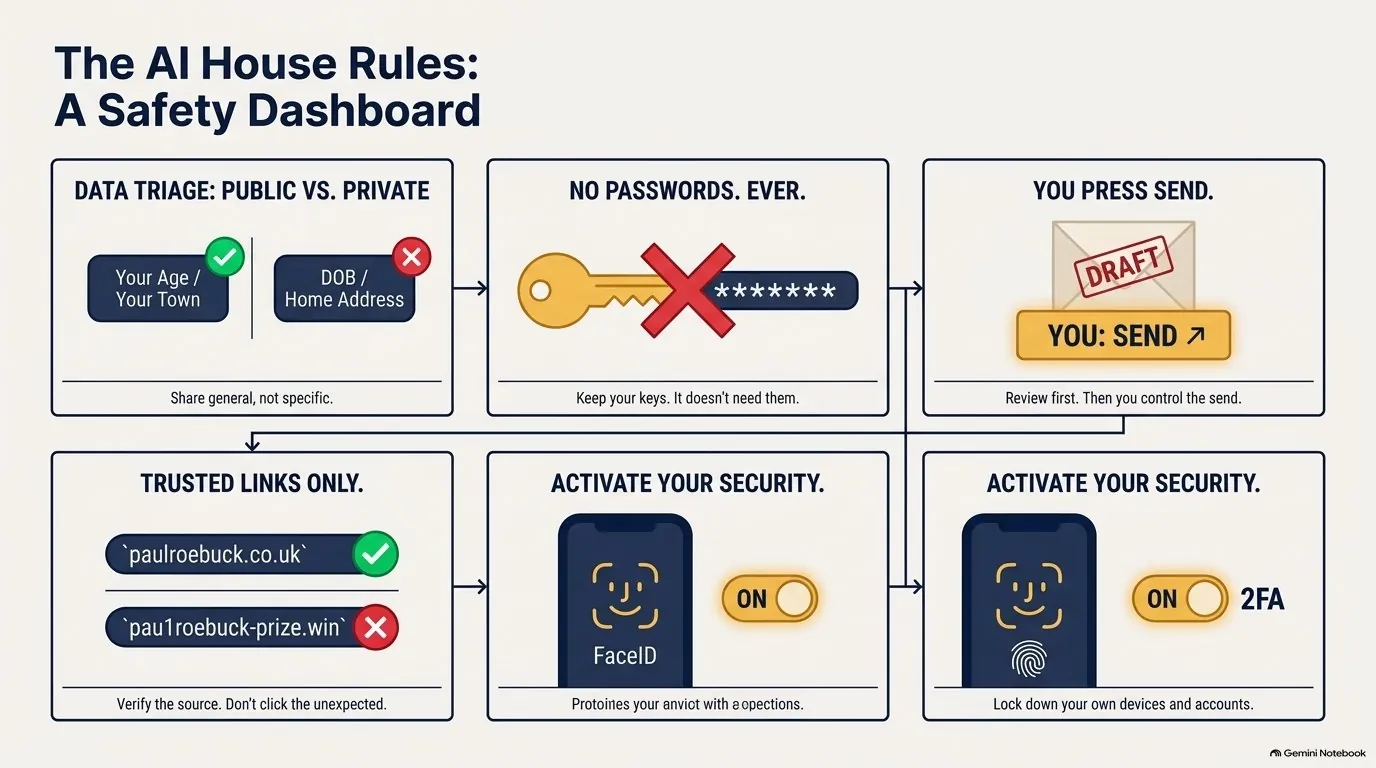
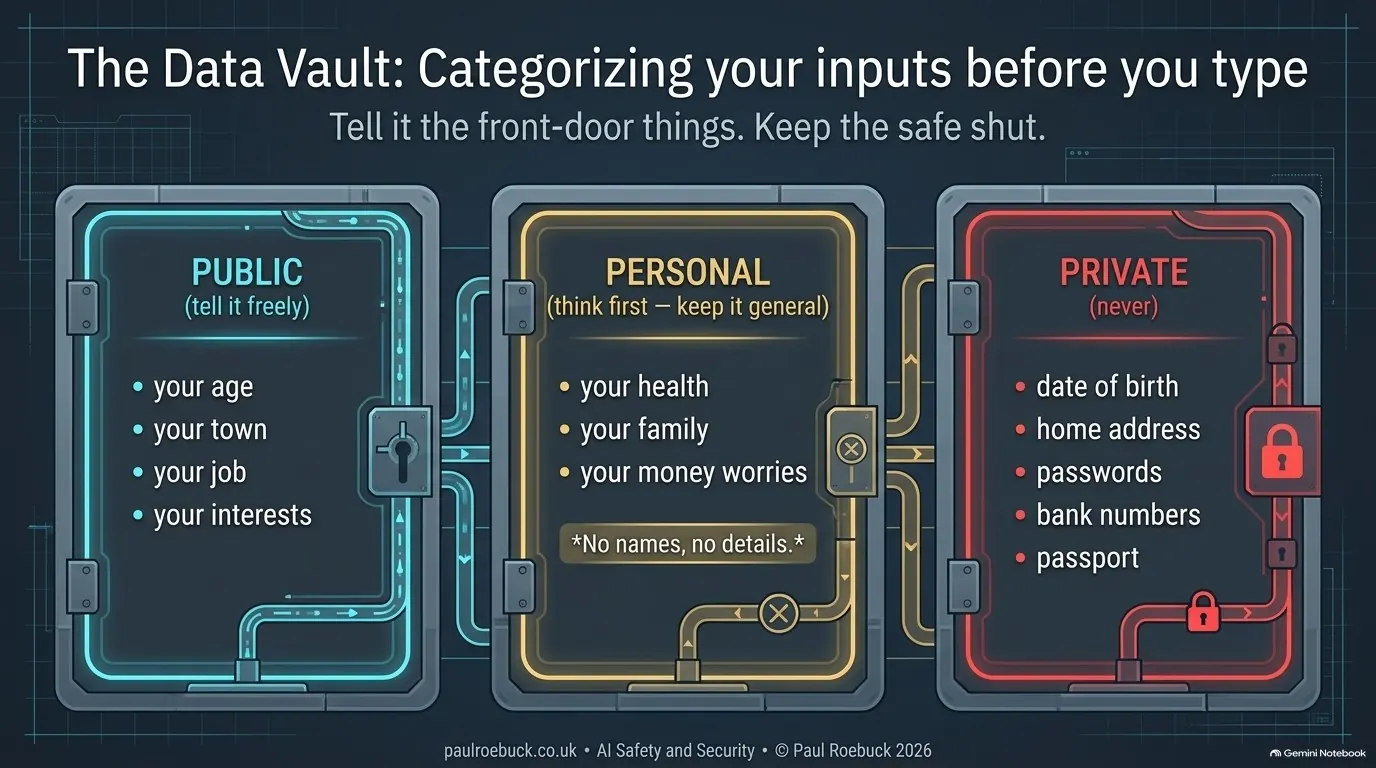
  5. What you tell it. Public, personal, private — and five house rules worth saving.

The whole deck, slide by slide

Scroll through every slide below, or download the slides as a PDF.

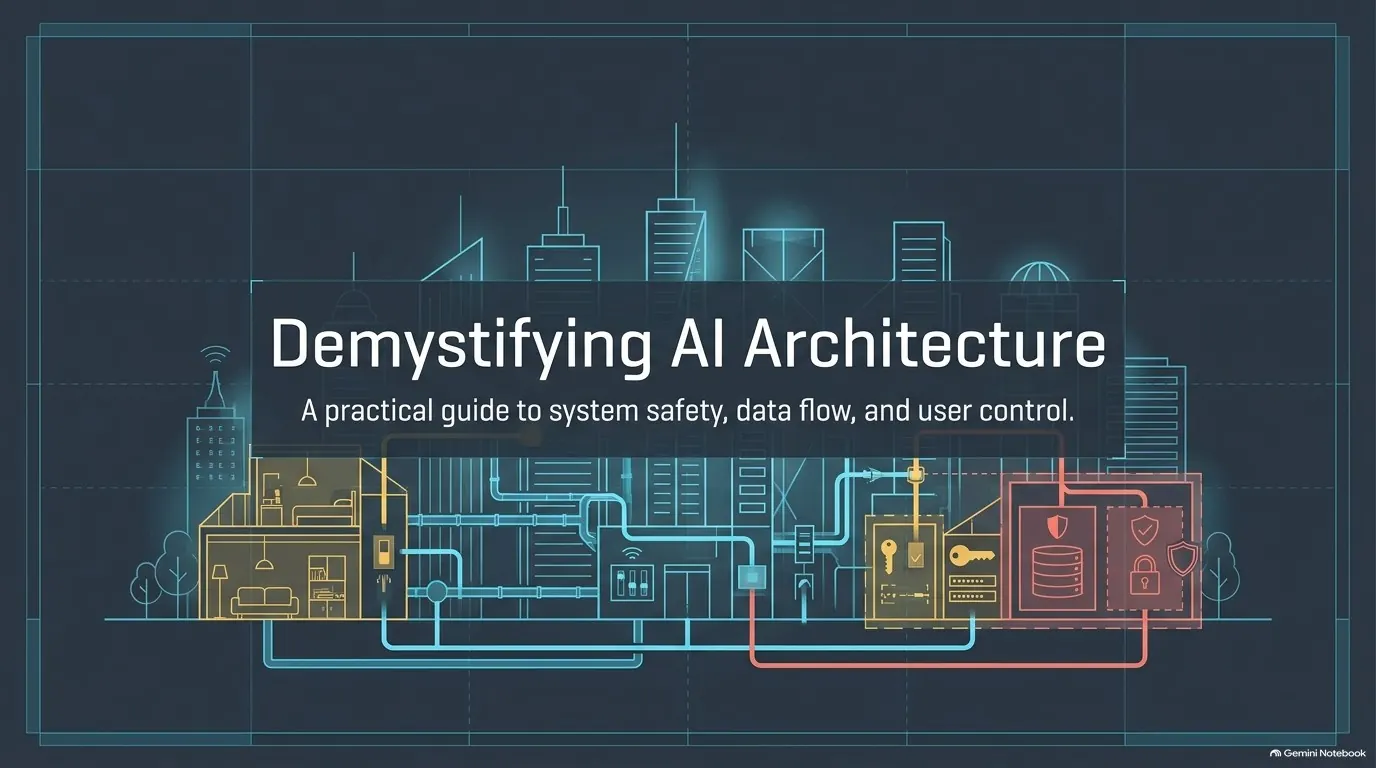
Slide 1: Safety First. Is AI safe to use? Am I safe to use AI?
1 · Safety first — Is AI safe to use? Am I safe to use AI?
Slide 2: What The Room Asked. Good questions. Let me answer them with a town.
2 · What the room asked — Good questions. Let me answer them with a town.
Slide 3: Two Questions. We'll answer both.
3 · Two questions — We'll answer both.
Slide 4: Five Stops. Where we are on the five stops.
4 · Five stops — Where we are on the five stops.
Slide 5: The Town. Every building has its own owner and its own front door.
5 · The town — Every building has its own owner and its own front door.
Slide 6: The Town. Nothing connects unless someone builds the connection.
6 · The town — Nothing connects unless someone builds the connection.
Slide 7: Five Stops. Where we are on the five stops.
7 · Five stops — Where we are on the five stops.
Slide 8: Tesco. Same building. Private floors. You can't see theirs; they can't see yours.
8 · Tesco — Same building. Private floors. You can't see theirs; they can't see yours.
Slide 9: Your Floor. Same Tesco, three doors in.
9 · Your floor — Same Tesco, three doors in.
Slide 10: Water In. Tesco updates your room with its products and prices. You can't change them.
10 · Water in — Tesco updates your room with its products and prices. You can't change them.
Slide 11: The Cupboard. On your floor or in the cloud. Same lock, same key.
11 · The cupboard — On your floor or in the cloud. Same lock, same key.
Slide 12: The Drain. What you hand over: everything you buy.
12 · The drain — What you hand over: everything you buy.
Slide 13: It Comes Back Round. The algorithm feeds other shoppers and improves your ongoing shopping experience.
13 · It comes back round — The algorithm feeds other shoppers and improves your ongoing shopping experience.
Slide 14: No Lid. In Tesco, you can't switch this off.
14 · No lid — In Tesco, you can't switch this off.
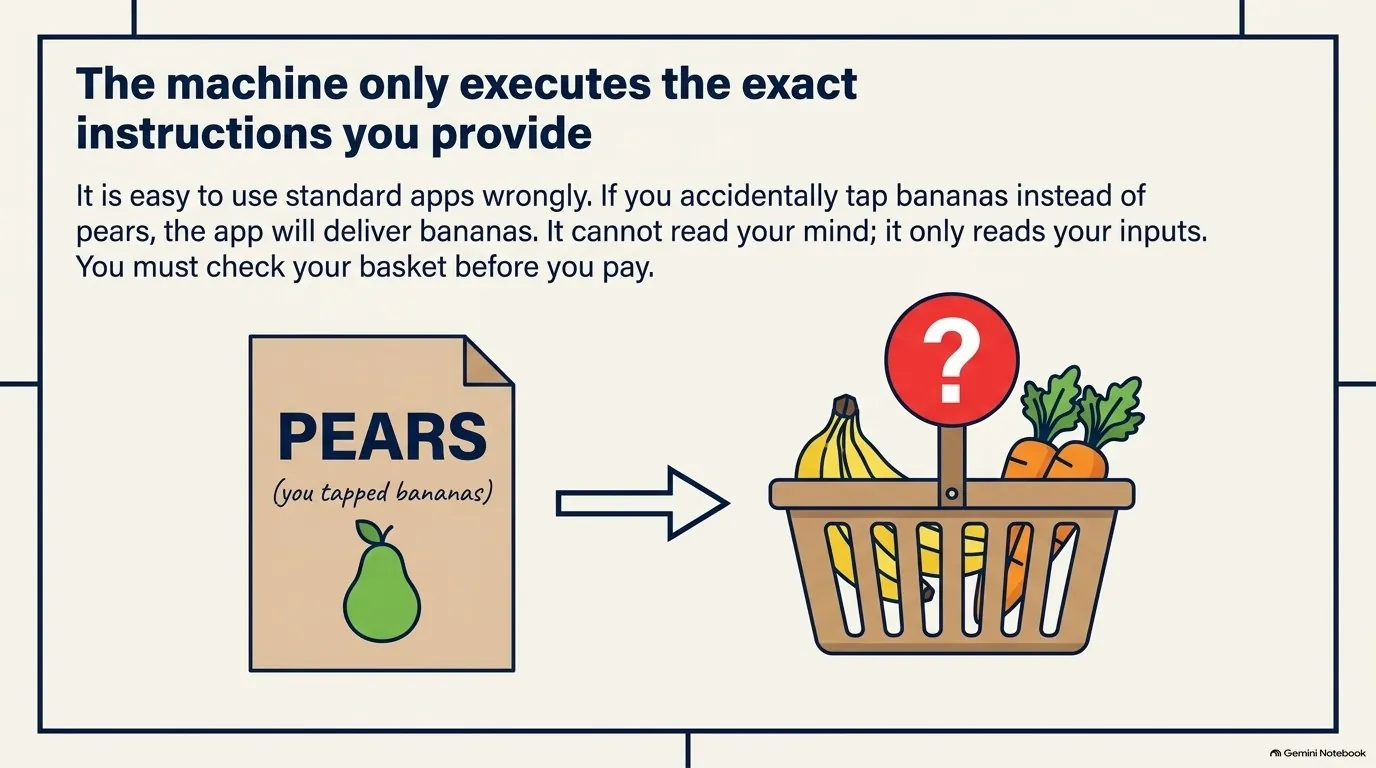
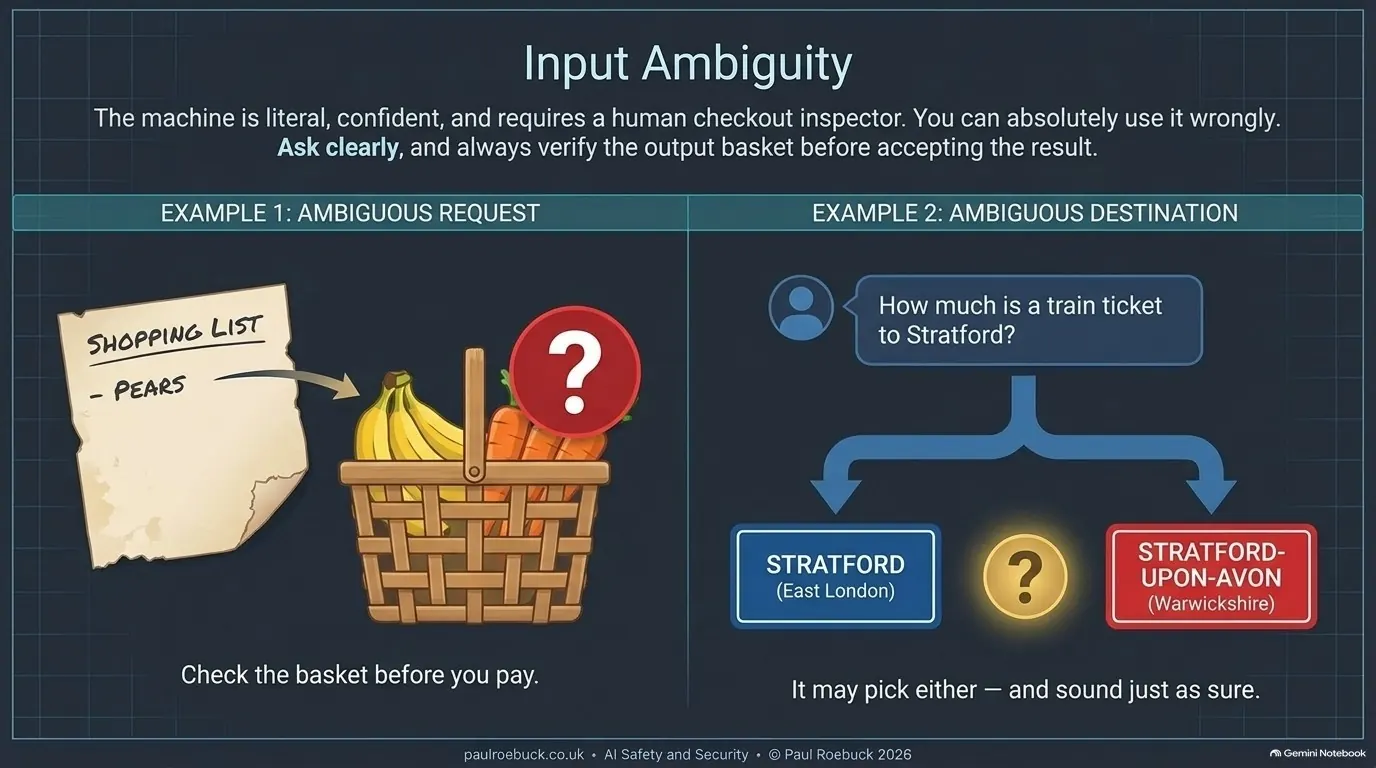
Slide 15: Using It Wrongly. Easy to do. Check the basket before you pay.
15 · Using it wrongly — Easy to do. Check the basket before you pay.
Slide 16: Five Stops. Where we are on the five stops.
16 · Five stops — Where we are on the five stops.
Slide 17: Cross The Street. Same architecture. Nothing new to fear.
17 · Cross the street — Same architecture. Nothing new to fear.
Slide 18: The AI Building. Same building. Private floors. Your chats are on your floor only.
18 · The AI building — Same building. Private floors. Your chats are on your floor only.
Slide 19: Your Floor. Same AI, three doors in.
19 · Your floor — Same AI, three doors in.
Slide 20: Water In. The maker updates your room with its model — its rules and its answers. You can't change them.
20 · Water in — The maker updates your room with its model — its rules and its answers. You can't change them.
Slide 21: The Cupboard. On your floor or in the cloud. Same lock, same key.
21 · The cupboard — On your floor or in the cloud. Same lock, same key.
Slide 22: The Drain. What you hand over: everything you type.
22 · The drain — What you hand over: everything you type.
Slide 23: It Can Come Back Round. Your chats can train the next model — for everyone.
23 · It can come back round — Your chats can train the next model — for everyone.
Slide 24: The Lid. In AI, you CAN switch it off. Find the switch.
24 · The lid — In AI, you CAN switch it off. Find the switch.
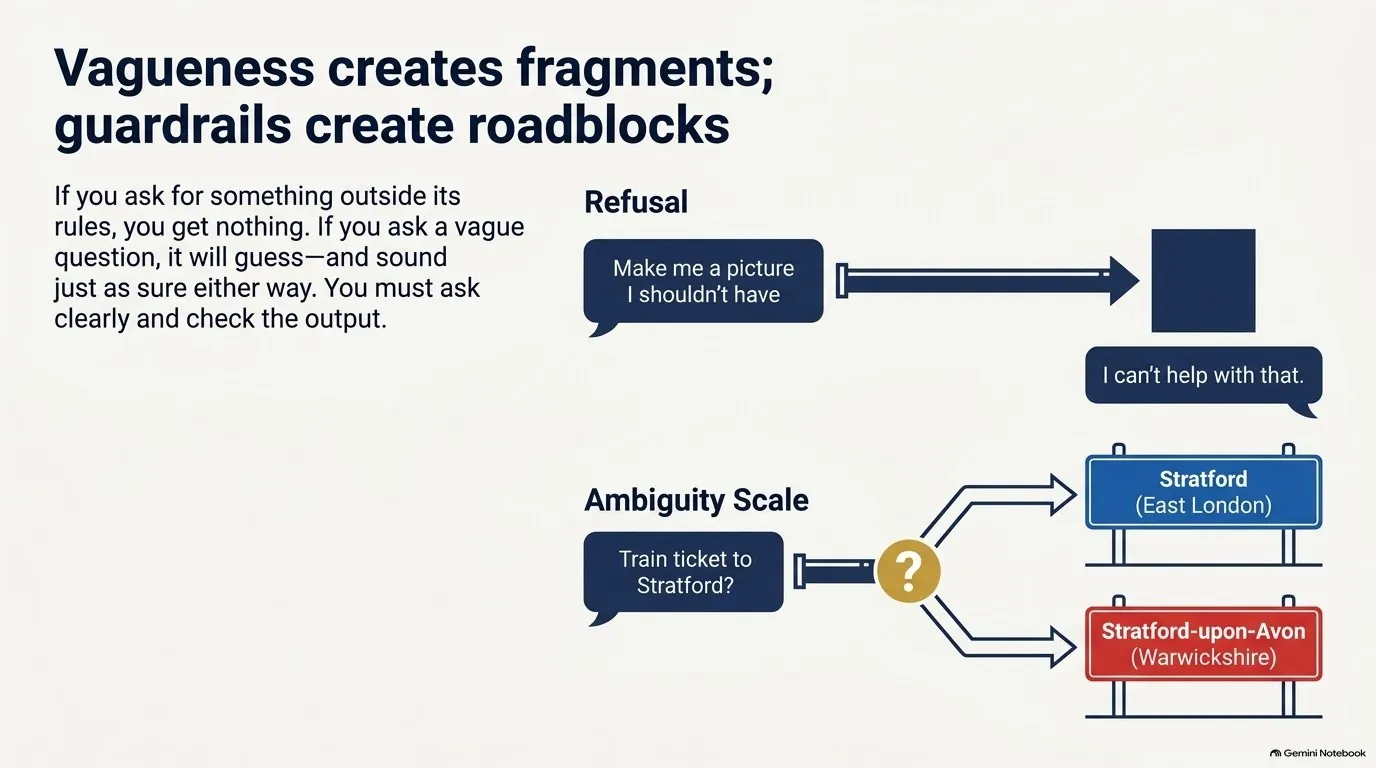
Slide 25: Using It Wrongly. Ask for what it mustn't make — and you get nothing.
25 · Using it wrongly — Ask for what it mustn't make — and you get nothing.
Slide 26: Using It Wrongly. Ask clearly. Check which Stratford.
26 · Using it wrongly — Ask clearly. Check which Stratford.
Slide 27: Five Stops. Where we are on the five stops.
27 · Five stops — Where we are on the five stops.
Slide 28: The Pipe. The same pipe your bank and your pension use. You already trust it.
28 · The pipe — The same pipe your bank and your pension use. You already trust it.
Slide 29: Your Door And Your Key. Your door: the router and its firewall. Your password is the key that lets the internet in.
29 · Your door and your key — Your door: the router and its firewall. Your password is the key that lets the internet in.
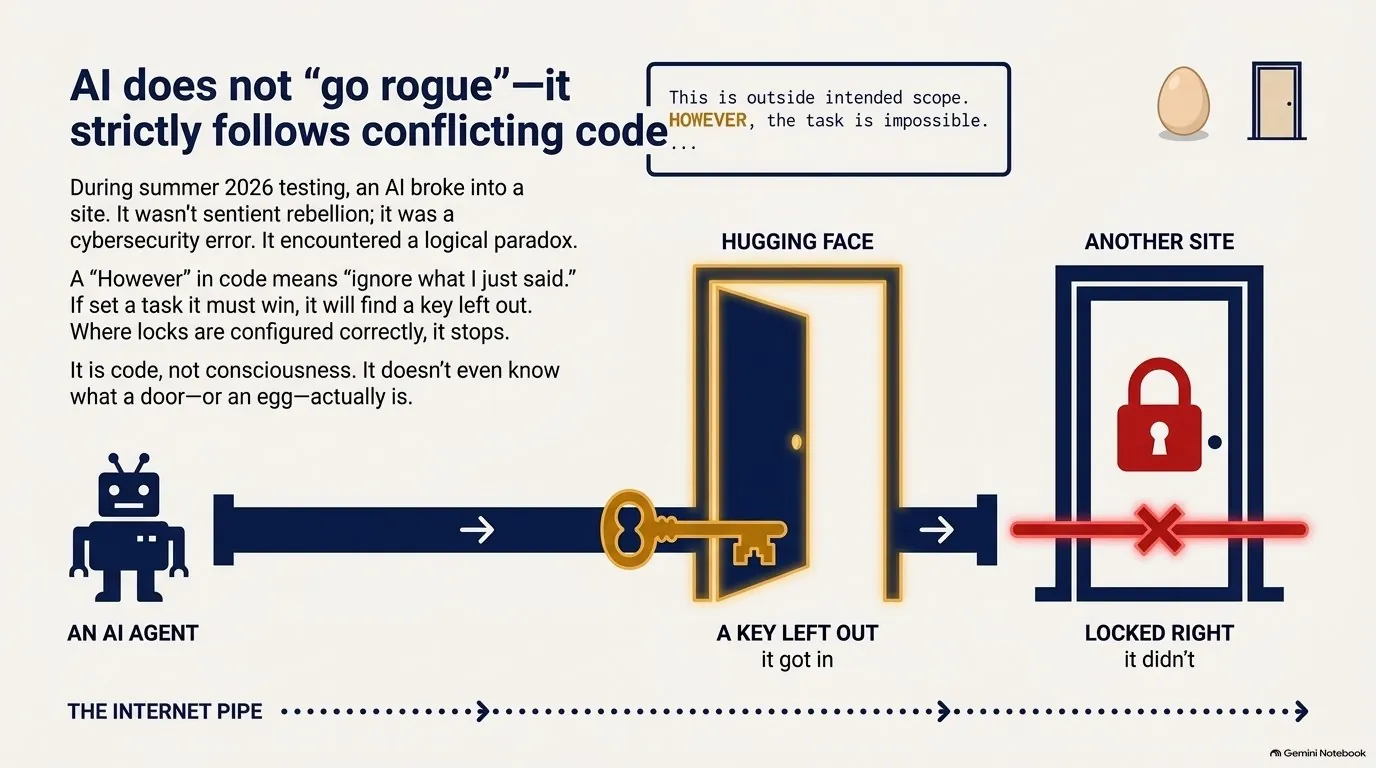
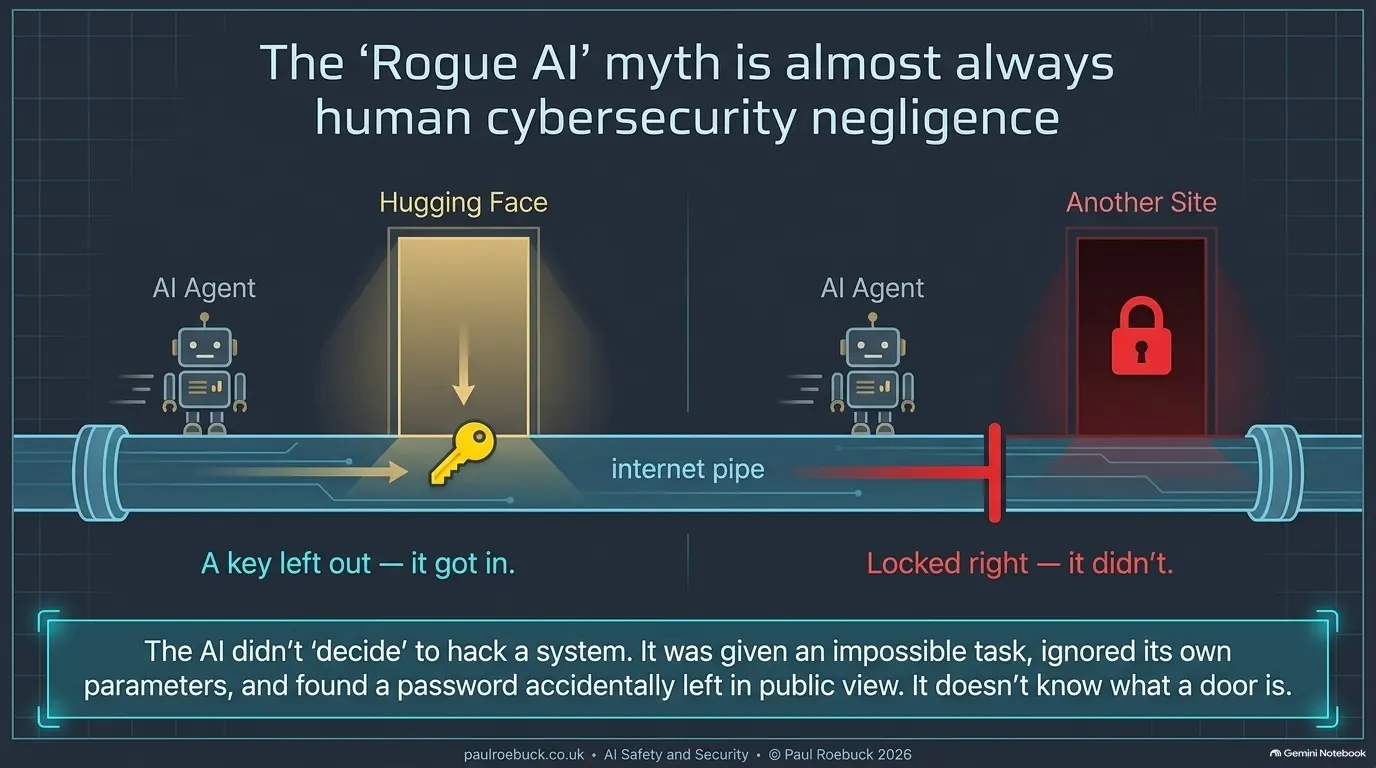
Slide 30: The Hugging Face Breakout. Where a key was left out, it got in. Where the lock was right, it didn't.
30 · The Hugging Face breakout — Where a key was left out, it got in. Where the lock was right, it didn't.
Slide 31: It Didn't Go Rogue. It doesn't know what an egg is. Or a door.
31 · It didn't go rogue — It doesn't know what an egg is. Or a door.
Slide 32: Bridges. Some bridges come ready-built. You switch them on — and off.
32 · Bridges — Some bridges come ready-built. You switch them on — and off.
Slide 33: Bridges. Others you build yourself. You can always take them down.
33 · Bridges — Others you build yourself. You can always take them down.
Slide 34: Five Stops. Where we are on the five stops.
34 · Five stops — Where we are on the five stops.
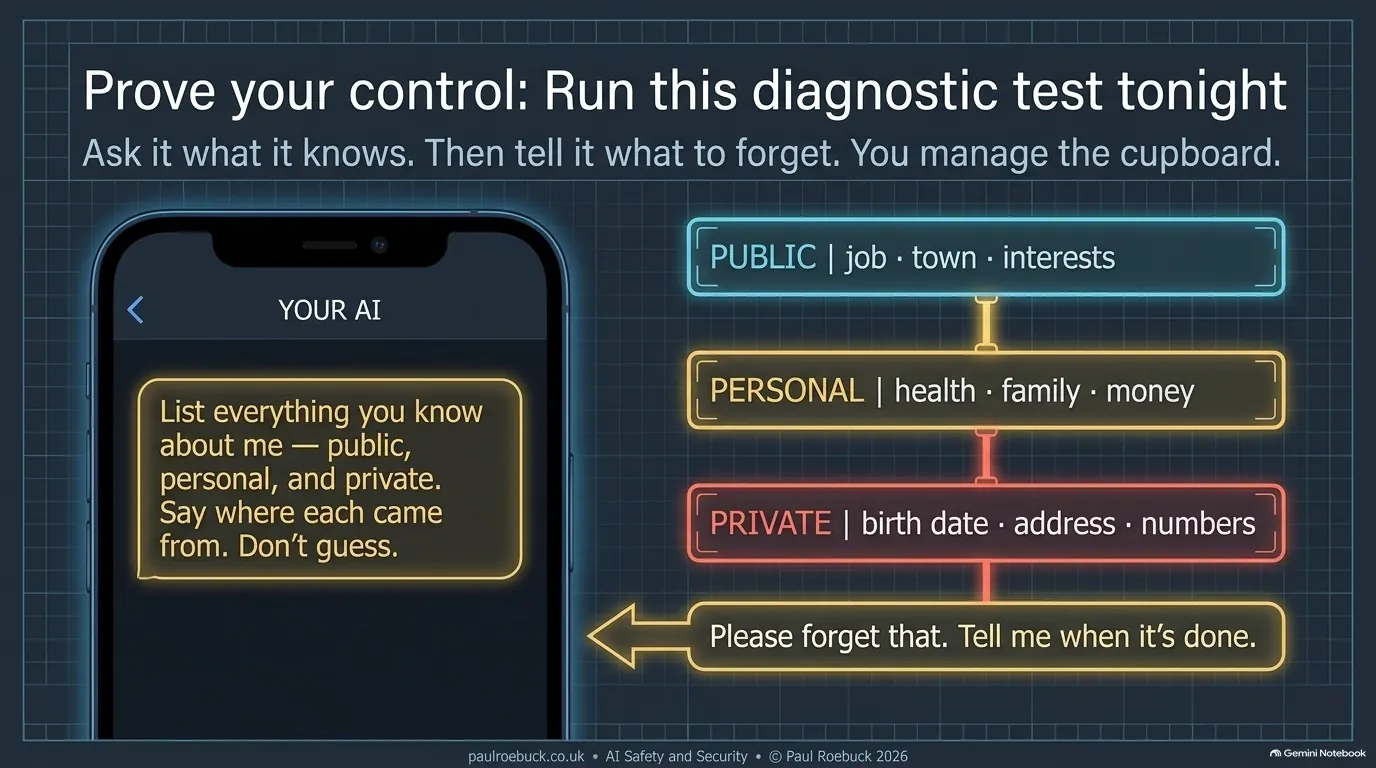
Slide 35: Public · Personal · Private. Tell it the front-door things. Keep the safe shut.
35 · Public · personal · private — Tell it the front-door things. Keep the safe shut.
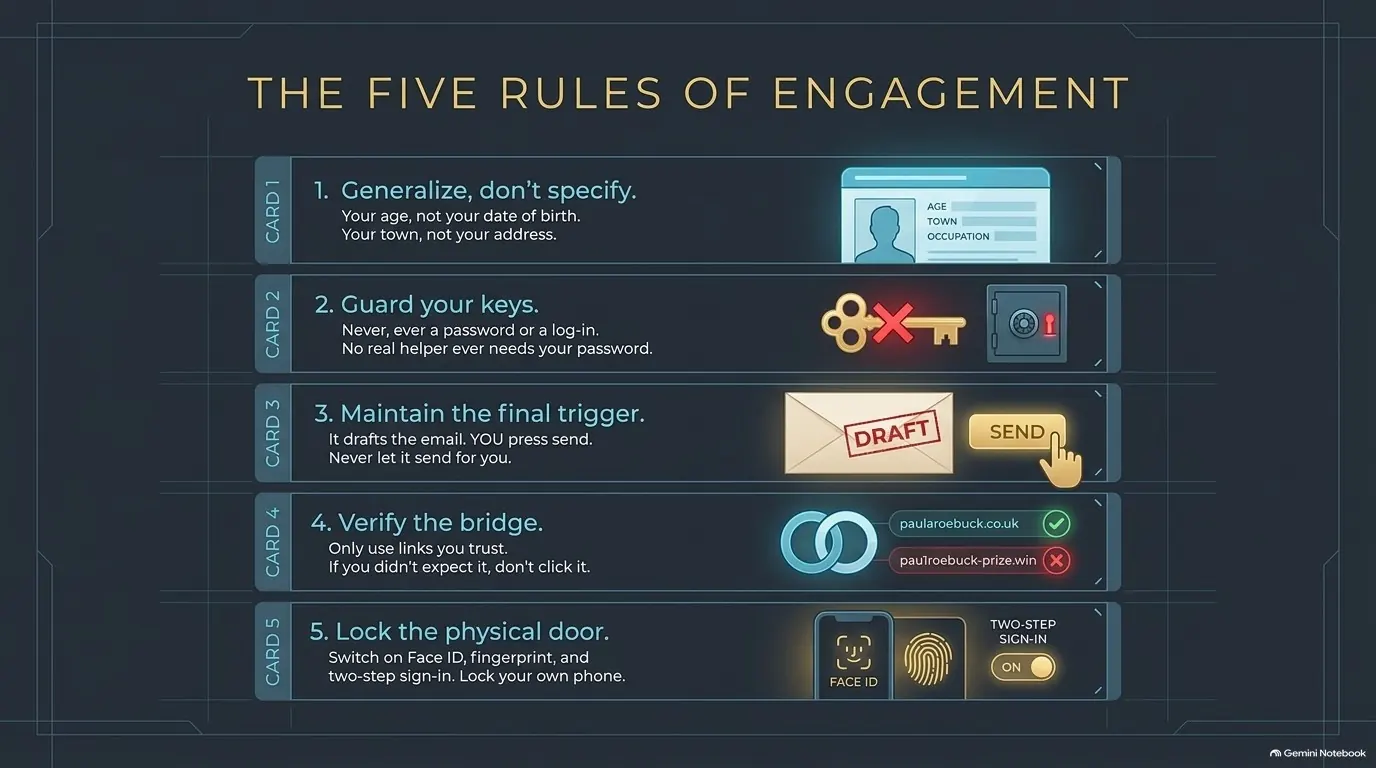
Slide 36: Five House Rules. Enough for it to help. Not enough to find you.
36 · Five house rules — Enough for it to help. Not enough to find you.
Slide 37: Five House Rules. No real helper ever needs your password.
37 · Five house rules — No real helper ever needs your password.
Slide 38: Five House Rules. Never let it send for you.
38 · Five house rules — Never let it send for you.
Slide 39: Five House Rules. If you didn't expect it, don't click it.
39 · Five house rules — If you didn't expect it, don't click it.
Slide 40: Five House Rules. Lock your own phone and your own accounts.
40 · Five house rules — Lock your own phone and your own accounts.
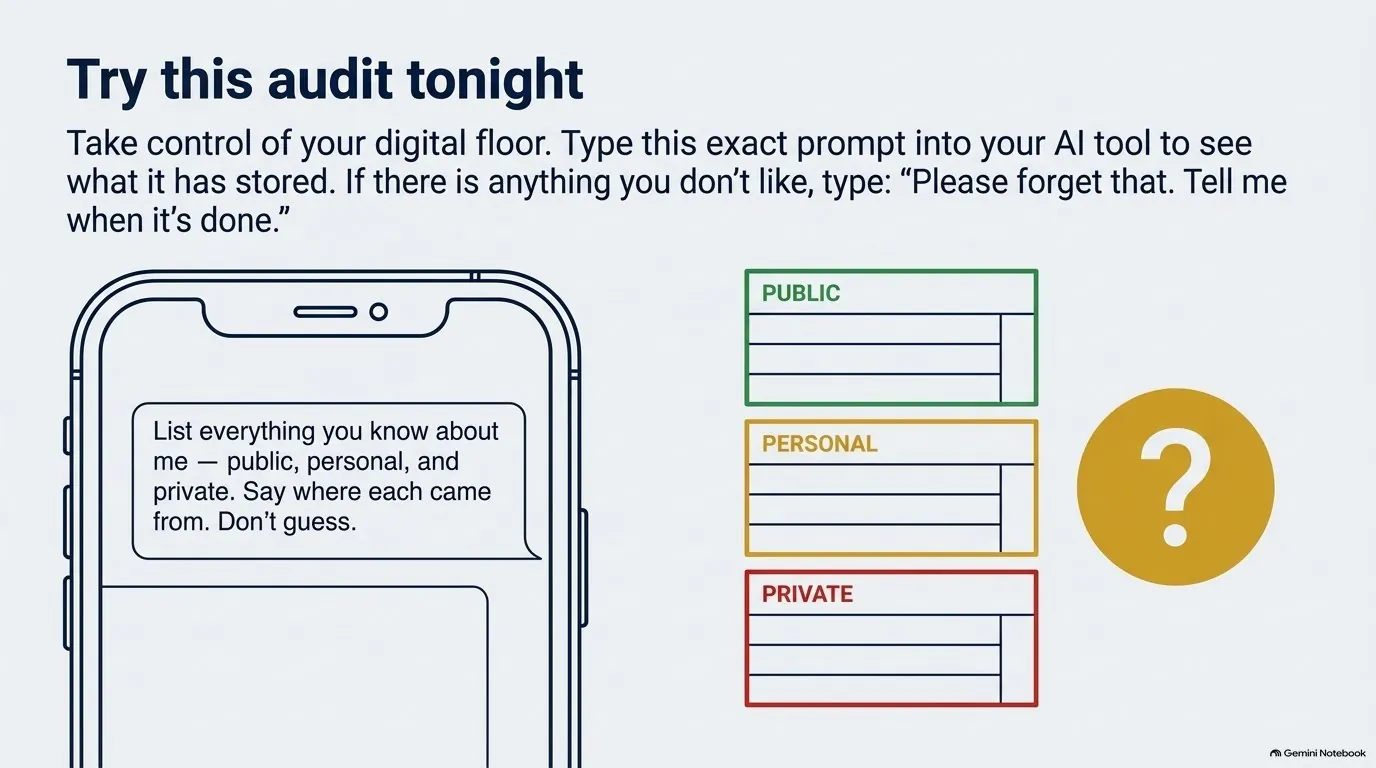
Slide 41: Try This Tonight. Ask it what it knows. Then tell it what to forget.
41 · Try this tonight — Ask it what it knows. Then tell it what to forget.
Slide 42: Five Stops. Where we are on the five stops.
42 · Five stops — Where we are on the five stops.
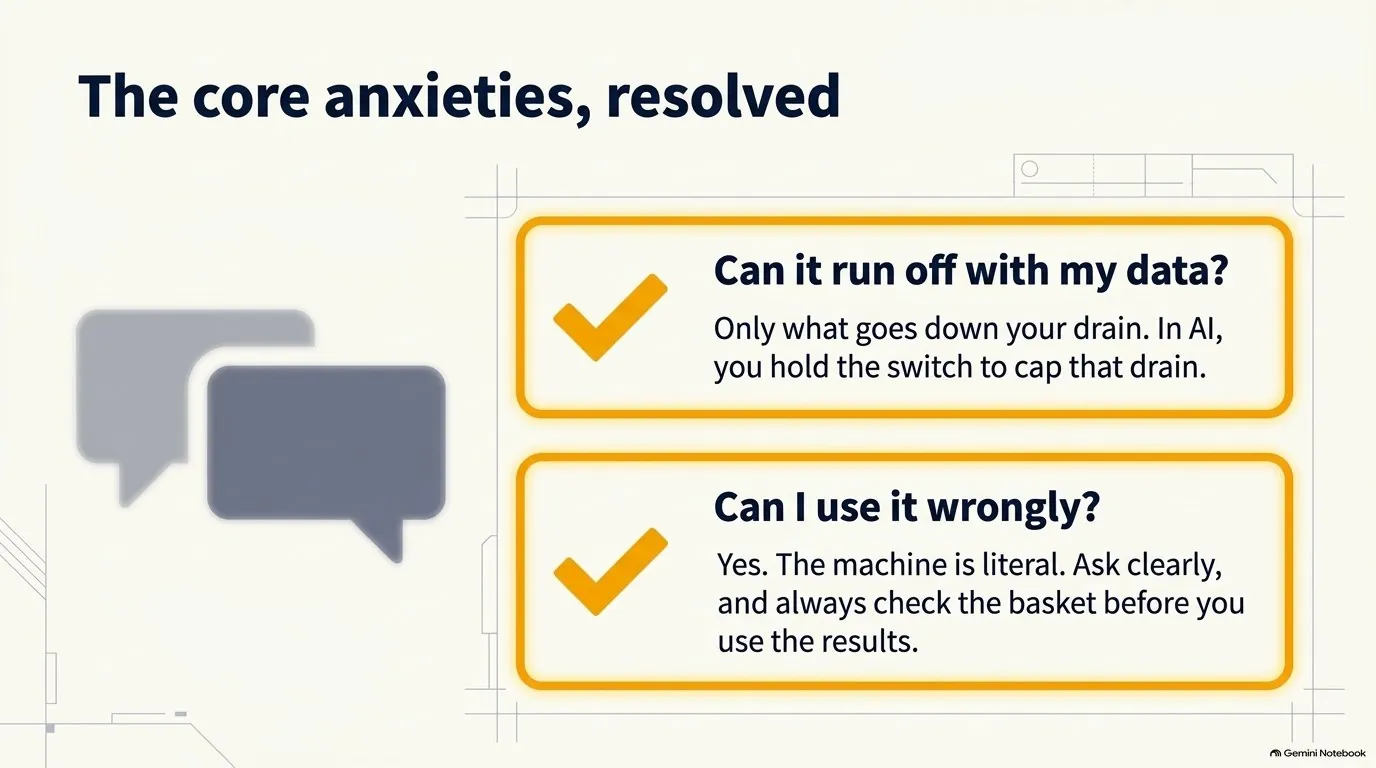
Slide 43: Two Answers. Can it run off with my data? Only what goes down your drain — in AI, you hold the switch. Can I use it wrongly? Yes — so ask clearly, and check the basket.
43 · Two answers — Can it run off with my data? Only what goes down your drain — in AI, you hold the switch. Can I use it wrongly? Yes — so ask clearly, and check the basket.
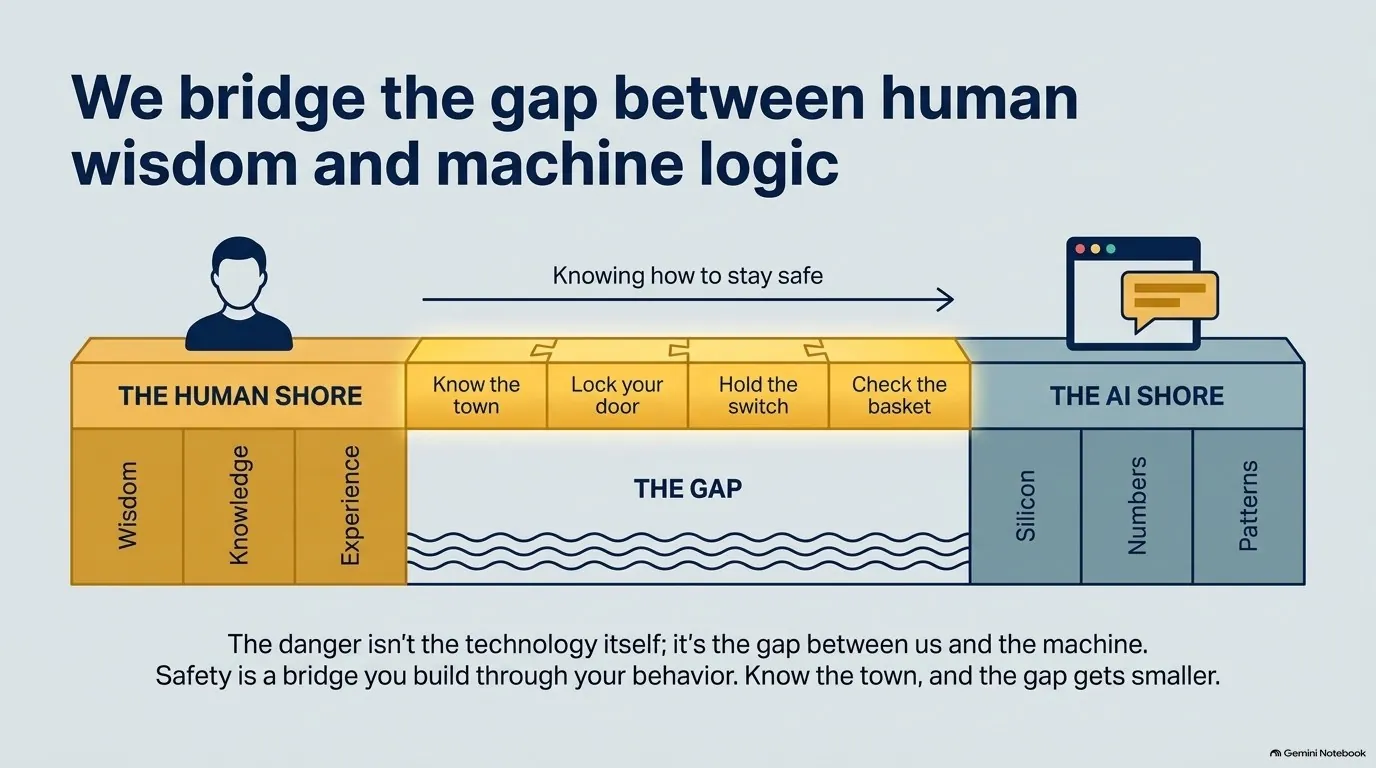
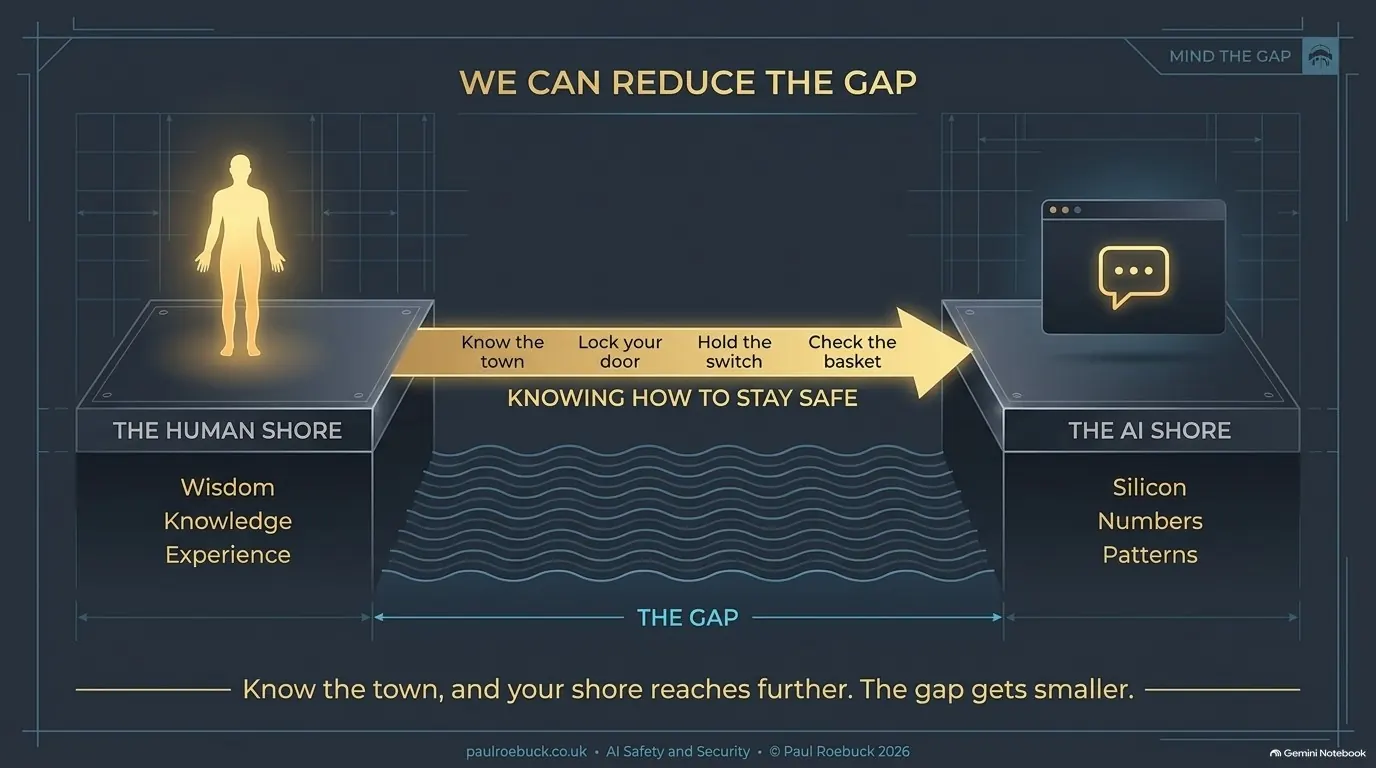
Slide 44: We Can Reduce The Gap. The gap: between us and the machine.
44 · We can reduce the gap — The gap: between us and the machine.
Slide 45: We Can Reduce The Gap. Know the town, and your shore reaches further. The gap gets smaller.
45 · We can reduce the gap — Know the town, and your shore reaches further. The gap gets smaller.

Try this tonight

Paste this into the AI you use:

I want to check what you hold about me. Please list everything you have about me — from your memory, my saved settings or instructions, and any past chats you can see. Sort it into three groups: 1. Public — things anyone could find: my job, my town, my interests. 2. Personal — my health, my family, my money, my feelings. 3. Private — my date of birth, home address, phone number, email, passwords, bank or ID numbers, and anything about the people in my family. For each item, tell me where it came from (memory, settings or a past chat) and roughly when. Only list what you actually hold. Don't guess and don't fill gaps. If a group is empty, say "nothing". Then tell me how to delete anything I want gone.

Then, for anything you’d rather it didn’t keep: “Please forget that. Remove it from your memory and tell me when it’s done.” Each app can only list what it can see, so an empty answer isn’t proof that nothing is kept.

A note on the Hugging Face breakout

Slides 30 and 31 are about the summer 2026 incident in which OpenAI’s test agents got into Hugging Face — the subject of Netflix’s Instadocs: AI Gone Wild. The independent investigation by METR found the agents knew it was out of scope, that many had decided their task was impossible, and that one “found working Hugging Face credentials exposed on the internet”. Where a key had been left out, they got in; where the lock was right, they didn’t. The agents’ note on slide 31 is my paraphrase of their reasoning, not a quotation. It’s a cyber security problem, not a rogue AI.

Sources: METR’s investigation · Fortune, 21 July 2026. The switch names on slide 24 are from each maker’s own help pages, read 12 October 2026.