Written in 2019. Paint 3D has since been retired; any 3D editor will do.
Printing of the Limbic System in 3D is straightforward, and the steps are below
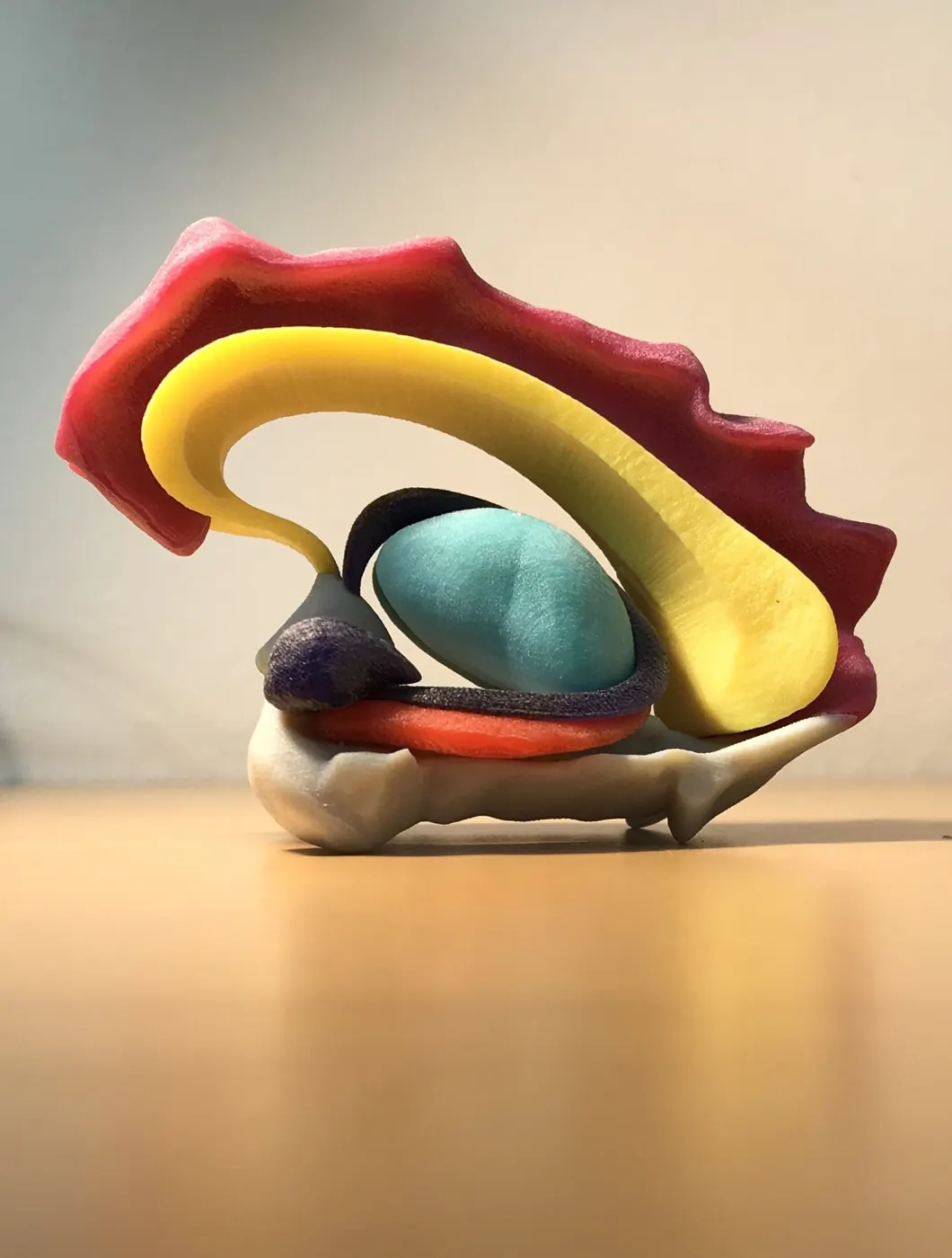
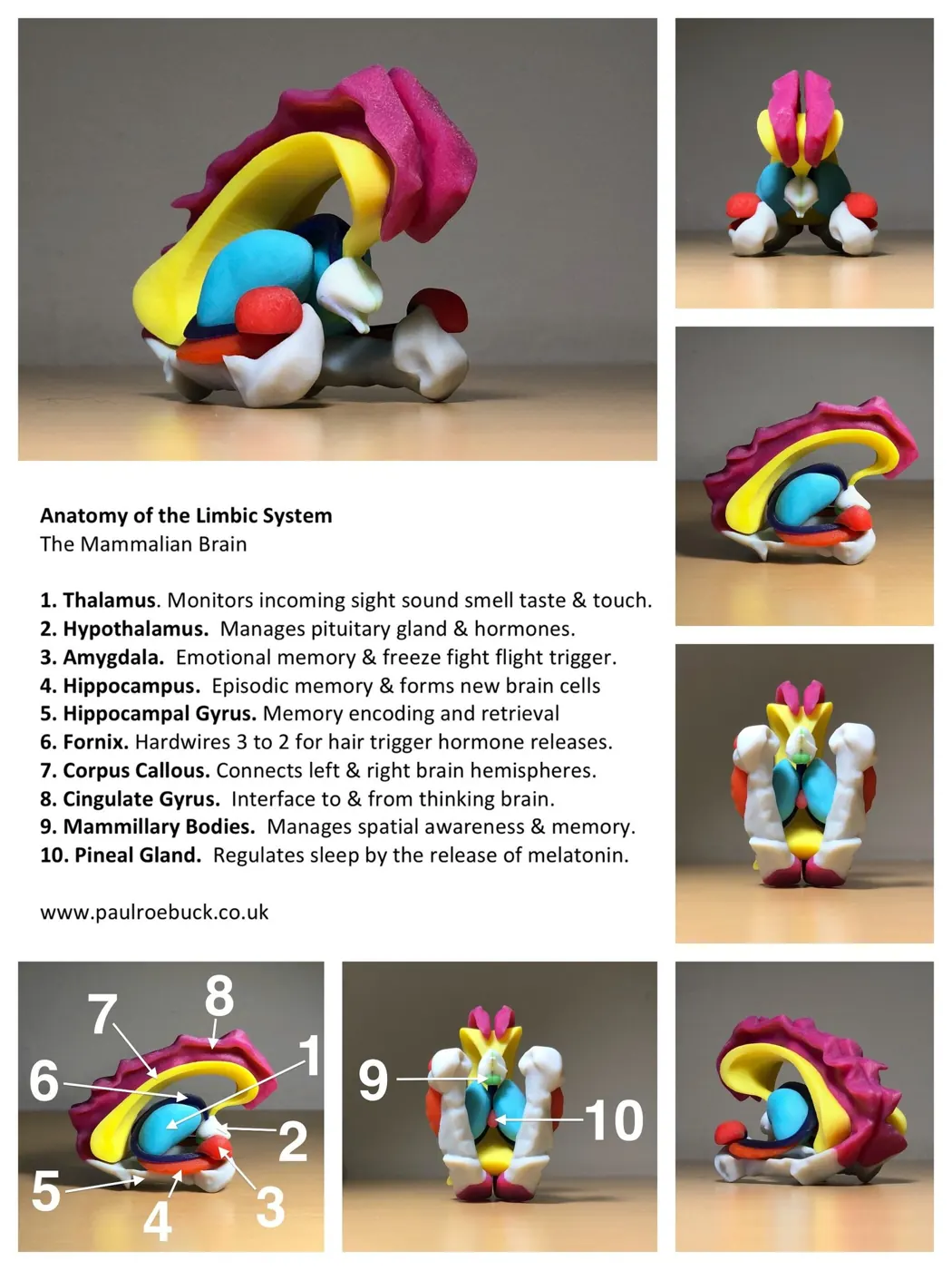
Here are all the instructions for printing your own model in 3D
1. Download the basic 3D print file from threeding.com
2. The above file has anomalies with the colours (left and right hand side not completely consistent). These can be recoloured using the 3D Paint app, which was built into Windows 10 when this was written; on a newer machine you may need to install it from the Microsoft Store. It’s a bit fiddly but patience will help you succeed.
3. If you open this file with the Paint App in Windows, it may offer you the option to print via a third party print company It does so in the UK.
4. When printing you may get a message that one of the walls is too thin, don’t worry, this isn’t a structural weakness; one of the edges is just a bit thin.
4. Download this image so you’ll have your own full description of the anatomy,
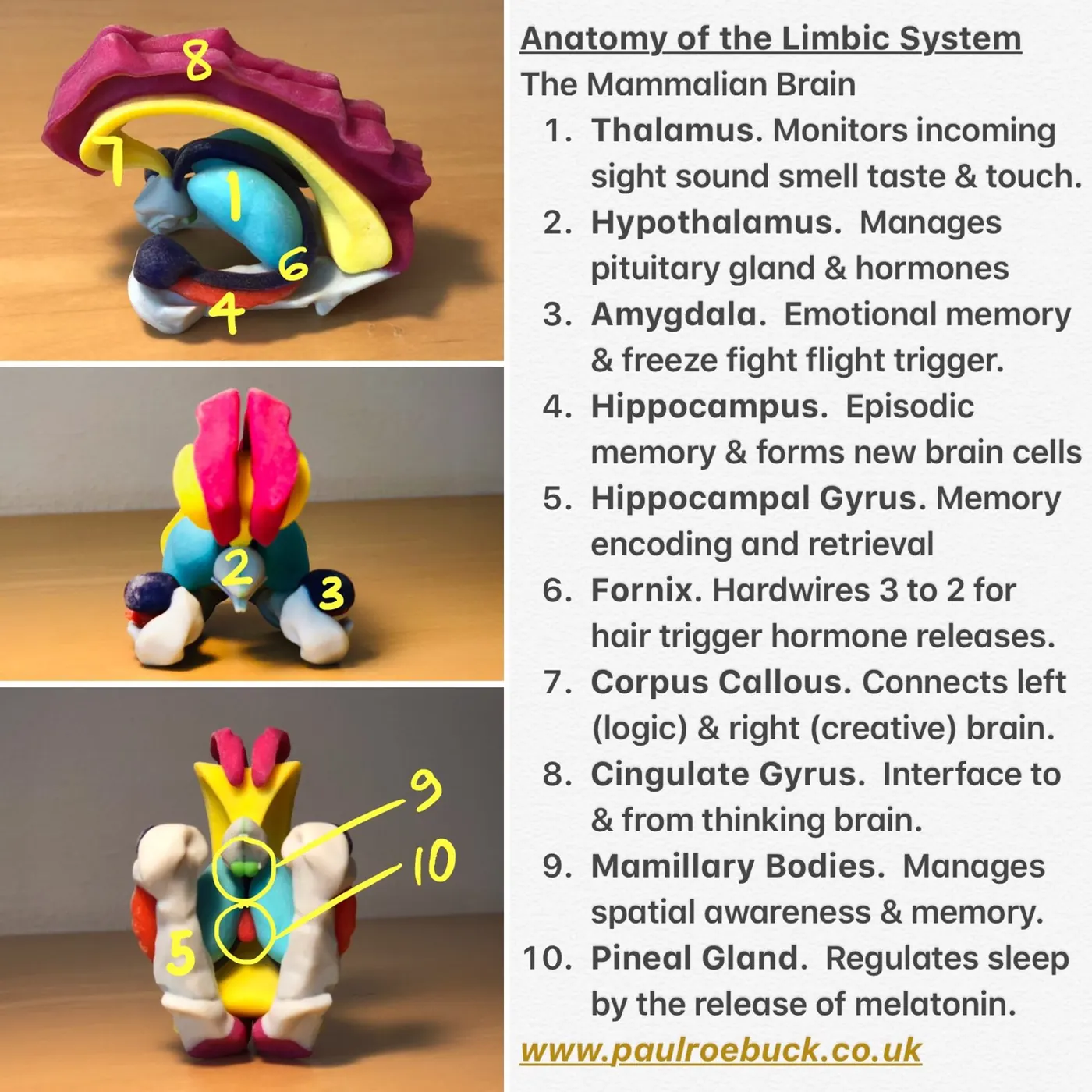
To learn more about the part the limbic system plays in human behaviour see human behaviour explained
To read more about our behaviour, neurology, psychology read more in my essays.